Article from
We did it – Guide for Your DIY NFC Time Tracking Terminal.
A guest post on NFC time tracking by Gerd Beidernikl, vieconsult GmbH (20 employees, Vienna)
In May 2021, my company, the consultancy vieconsult, switched to MOCO after 10 years of rather painful experiences with other ERP solutions. After comparing around 20 providers on the market, the decision for MOCO was made quickly: the decisive factor was the focus on the essentials. We love it! Here we show why and how we created our own top-notch time tracking terminal with simple means.
Time Tracking – A Necessary Evil?
As a consultancy, we work on over 50 projects annually. Therefore, an efficient time tracking system that the team accepts is crucial. After all, time is money. MOCO met all our requirements. Besides the time booked on projects, effective recording of working hours was particularly important to us as an Austrian company.
Working Time Recording in Austria
In Austria, the legal requirements for working time recording are relatively strict. This creates conditions where start times, end times, and break times – even in the home office – must be recorded.
Working Time Recording in Austria
In Austria, the legal requirements for working time recording are relatively strict. This creates conditions where start times, end times, and break times – even in the home office – must be recorded.
New Work – New Time
Our daily routine is shaped by many New Work principles. This includes a highly flexible flexitime framework that does not dictate core hours or work locations. Time tracking in MOCO is flexible and location-independent – via web application, browser plugin, or smartphone app. Everyone can track time as they wish. However, what we still missed was a ritual "Check-In" when arriving at the office.
NFC – We Have to Try It!
When news about the automation of working time recording came with the further development of MOCO, we became attentive. In this context, NFC or RFID tags were mentioned as possible triggers for time tracking. A promising idea was born: We build our own local time tracking.
Thought – Done:
Thought – Done:
1. Ordered NFC tag stickers online – for €1.50 each.
2. Repurposed a picture frame and fired up the color printer. One sticker for check-in, the other for check-out.
3. Each willing employee set up their iPhone themselves: created a shortcut for check-in when entering the office > linked the shortcut with the NFC sticker > repeated the same for check-out.
Voilà!
The DIY time terminal in our lobby is ready. From now on, time tracking is done in passing. Literally. And: Anyone who wants can also equip their home office with NFC tags.
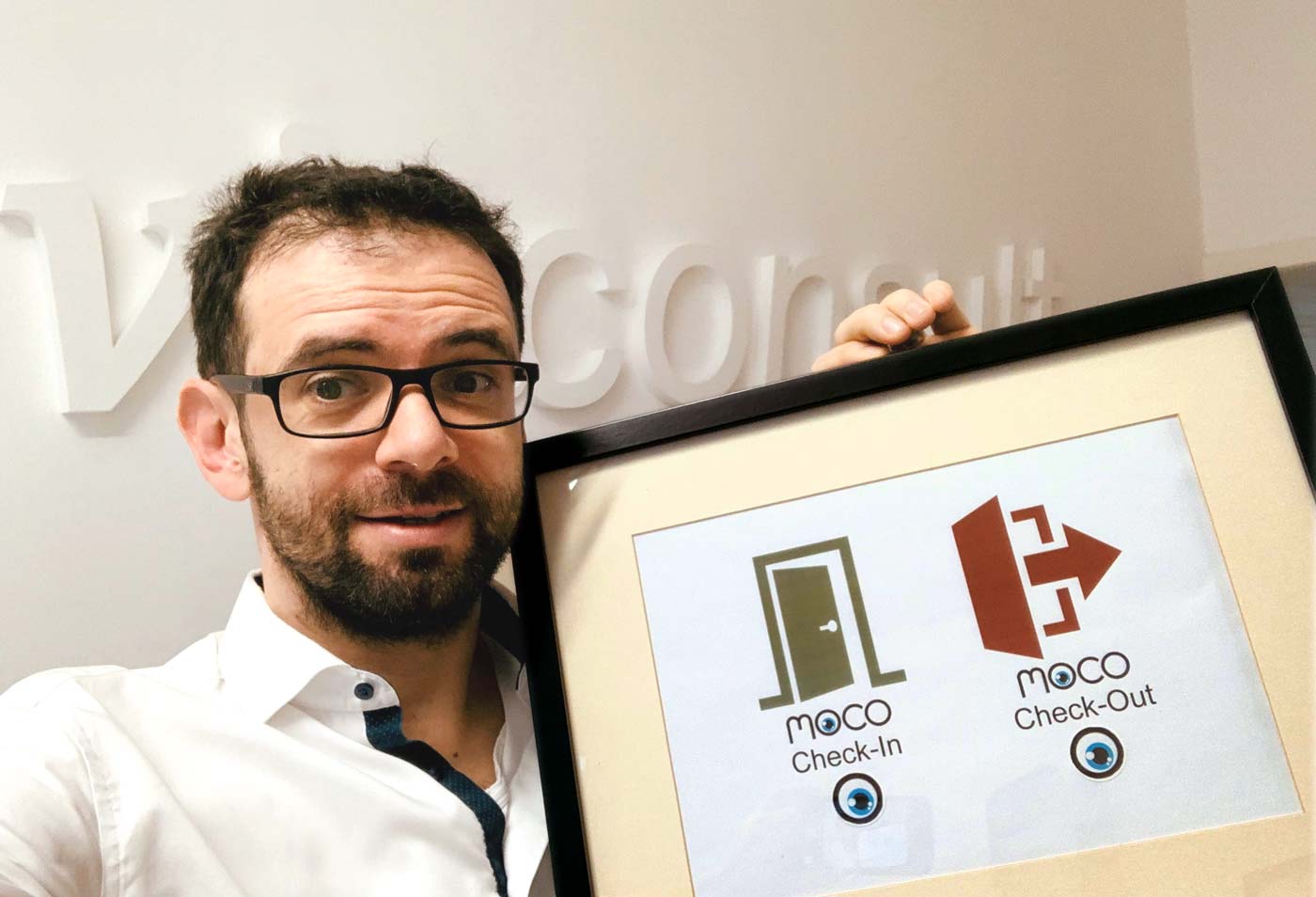 (English image not yet available)
The DIY time terminal in our lobby is ready. From now on, time tracking is done in passing. Literally. And: Anyone who wants can also equip their home office with NFC tags.
(English image not yet available)The Learnings
The idea is simple, good, and quickly implementable. The DIY terminal hangs next to our cloakroom/in front of our kitchen, minimizing "forgetting". However, there was a minor setback: NFC is not supported by every operating system, and we have some old company phones that do not yet integrate this technology. Never mind: Christmas will bring new phones, then it will work for everyone! We won't let that stop us.
Thank you, MOCO!
 (English image not yet available)
A heartfelt thank you to you, Gerd, for your contribution 💙
and warm regards to all colleagues at vieconsult 👋 🙌








