Alter News-Artikel!
» Hier geht's zur aktuellen Online-Hilfe
Article from
MOCO & Personio – the New Integration.
For enhanced HR functionalities such as recruiting, MOCO can be integrated with the HR software Personio. This integration, developed by MOCO, allows for the automatic daily synchronization of absences (Personio → MOCO) and working hours (MOCO → Personio). User identification is done via email address.
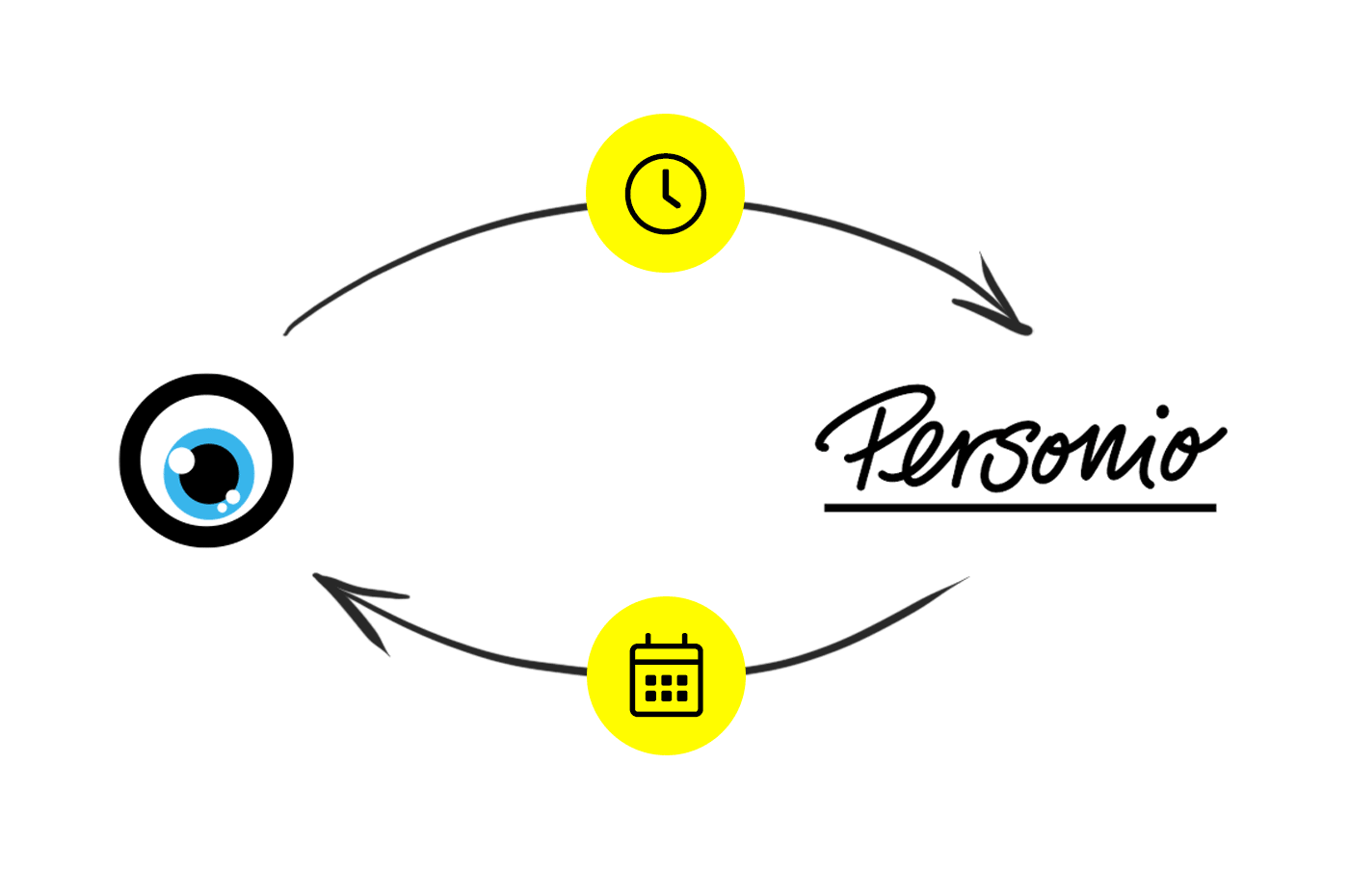 (English image not yet available)
(English image not yet available)Activate Connection
1. Settings in Personio (see illustration)
a) Enter MOCO under "API Access Data" in the settings
b) Select checkboxes for personal data as shown in the screenshot.
c) Choose email under "Attributes to be transferred". User identification on both sides is done via the email address with which the user is registered.
Personio will then automatically generate an ID and Secret.
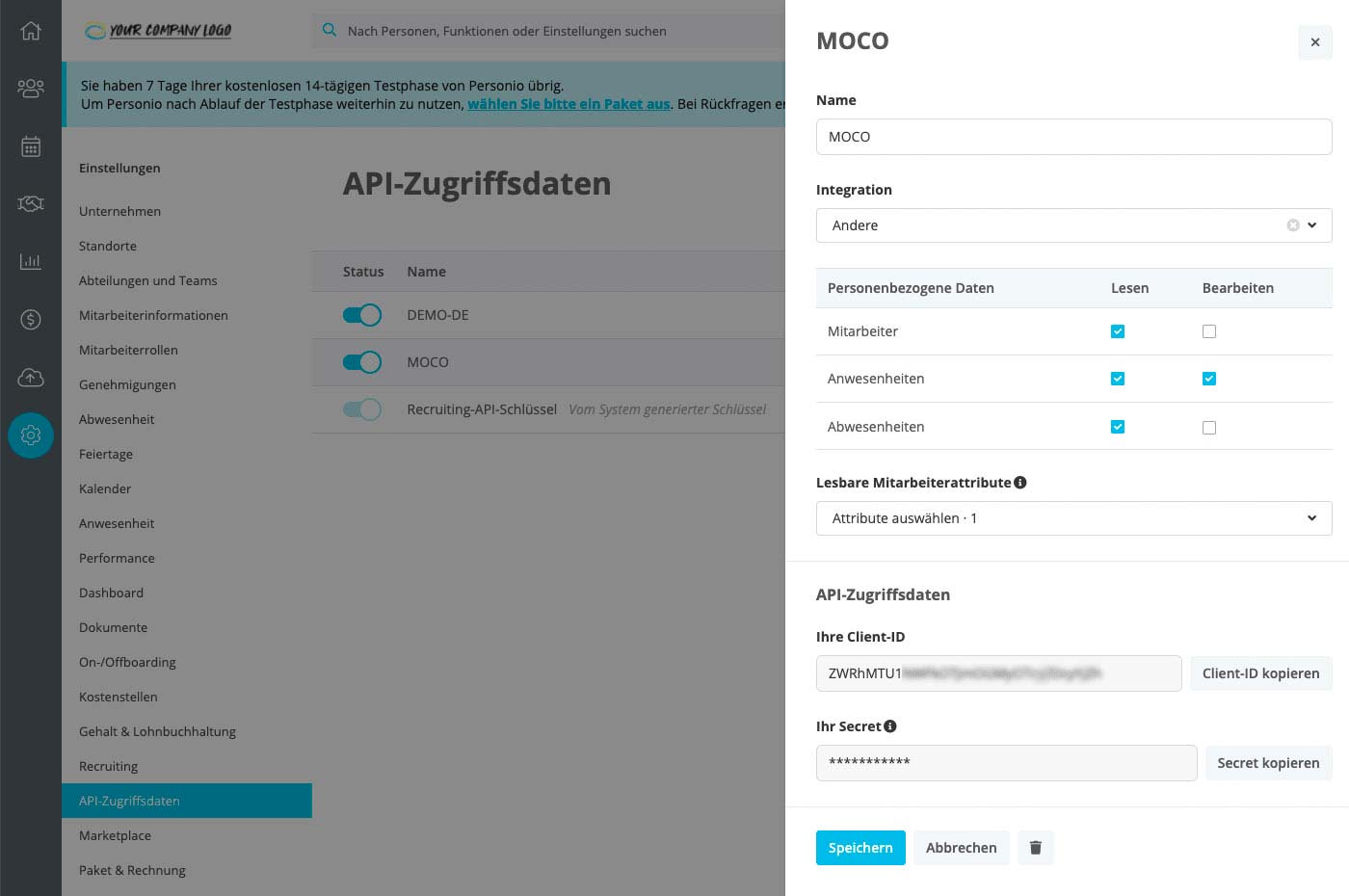 (English image not yet available)
2. Settings in MOCO
Enter the Personio Client ID, Secret, and start date under "Extensions" > "HR" in the settings.
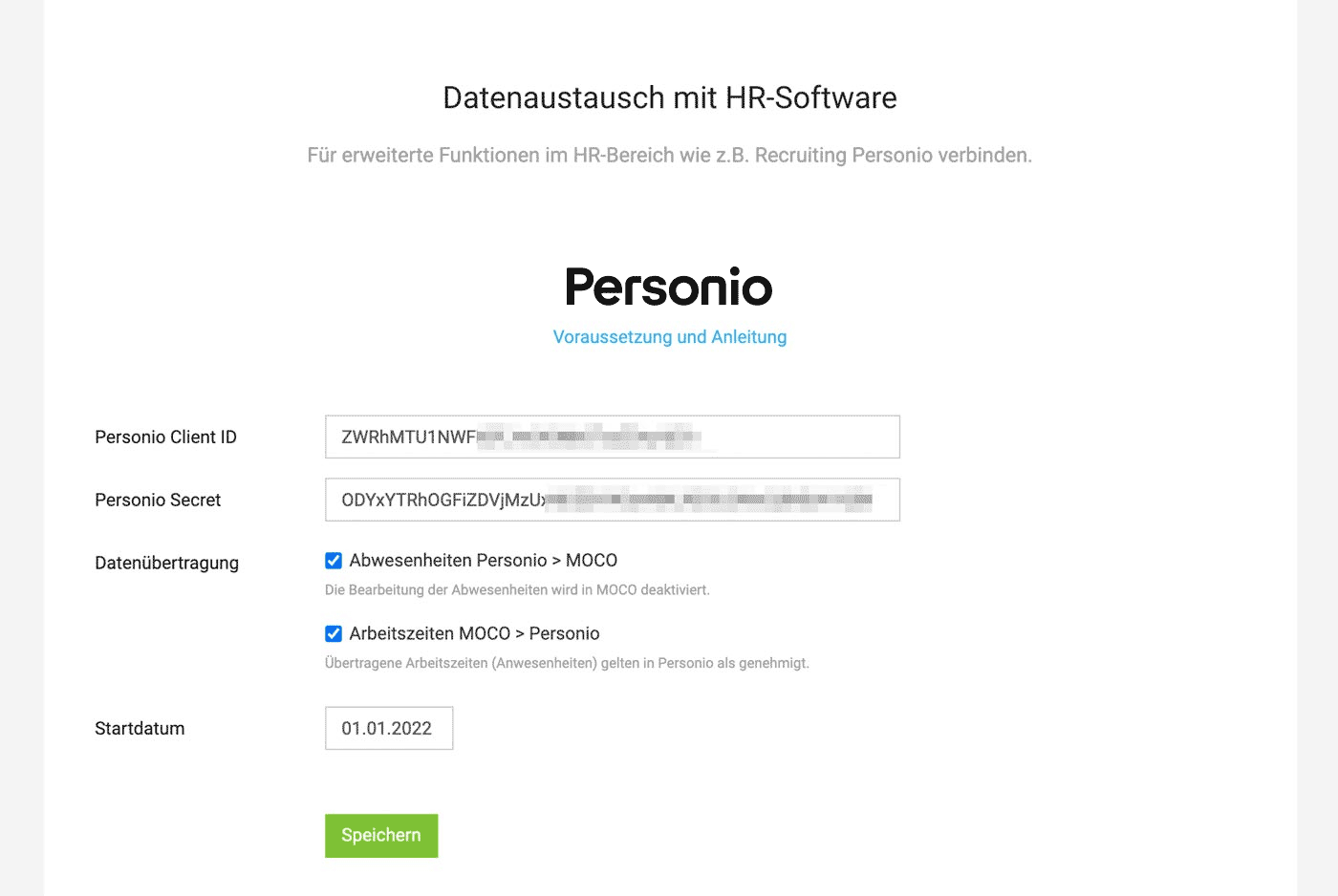 (English image not yet available)
a) Enter MOCO under "API Access Data" in the settings
b) Select checkboxes for personal data as shown in the screenshot.
c) Choose email under "Attributes to be transferred". User identification on both sides is done via the email address with which the user is registered.
Personio will then automatically generate an ID and Secret.
(English image not yet available)2. Settings in MOCO
Enter the Personio Client ID, Secret, and start date under "Extensions" > "HR" in the settings.
(English image not yet available)Sync Absences
Absences are now managed only in Personio and automatically transferred to MOCO
They are transferred daily to MOCO and marked with a comment. Existing absences in MOCO are not deleted/overwritten (exception "Not plannable").
→ To prevent accidental incorrect entries, absence management in MOCO is disabled. This is displayed in the settings (under "Planning") and at the respective locations.
→ "Not plannable" (purely informative absence e.g., when rescheduling a day off or compensating time) can still be used in MOCO.
They are transferred daily to MOCO and marked with a comment. Existing absences in MOCO are not deleted/overwritten (exception "Not plannable").
→ To prevent accidental incorrect entries, absence management in MOCO is disabled. This is displayed in the settings (under "Planning") and at the respective locations.
→ "Not plannable" (purely informative absence e.g., when rescheduling a day off or compensating time) can still be used in MOCO.
Sync Working Hours (in Personio "Attendances")
Working hours and project times are independent in MOCO, allowing for the following two selectable scenarios:
Working hours are managed in Personio and disabled in MOCO
A process for approving working hours in MOCO is currently not planned. If this is essential, we recommend managing working hours exclusively in Personio and disabling them for all employees in MOCO.
Working hours are managed in MOCO and transferred to Personio
Select the option in MOCO settings. Working hours are recorded in MOCO and immediately transmitted as approved attendances to Personio. The transfer occurs hourly from the start date if changes (even to past days) have been made.
Working hours are managed in Personio and disabled in MOCO
A process for approving working hours in MOCO is currently not planned. If this is essential, we recommend managing working hours exclusively in Personio and disabling them for all employees in MOCO.
Working hours are managed in MOCO and transferred to Personio
Select the option in MOCO settings. Working hours are recorded in MOCO and immediately transmitted as approved attendances to Personio. The transfer occurs hourly from the start date if changes (even to past days) have been made.








