
-------
MOCO + Commitly
Enhance MOCO ERP with Commitly for Cashflow and Liquidity Monitoring
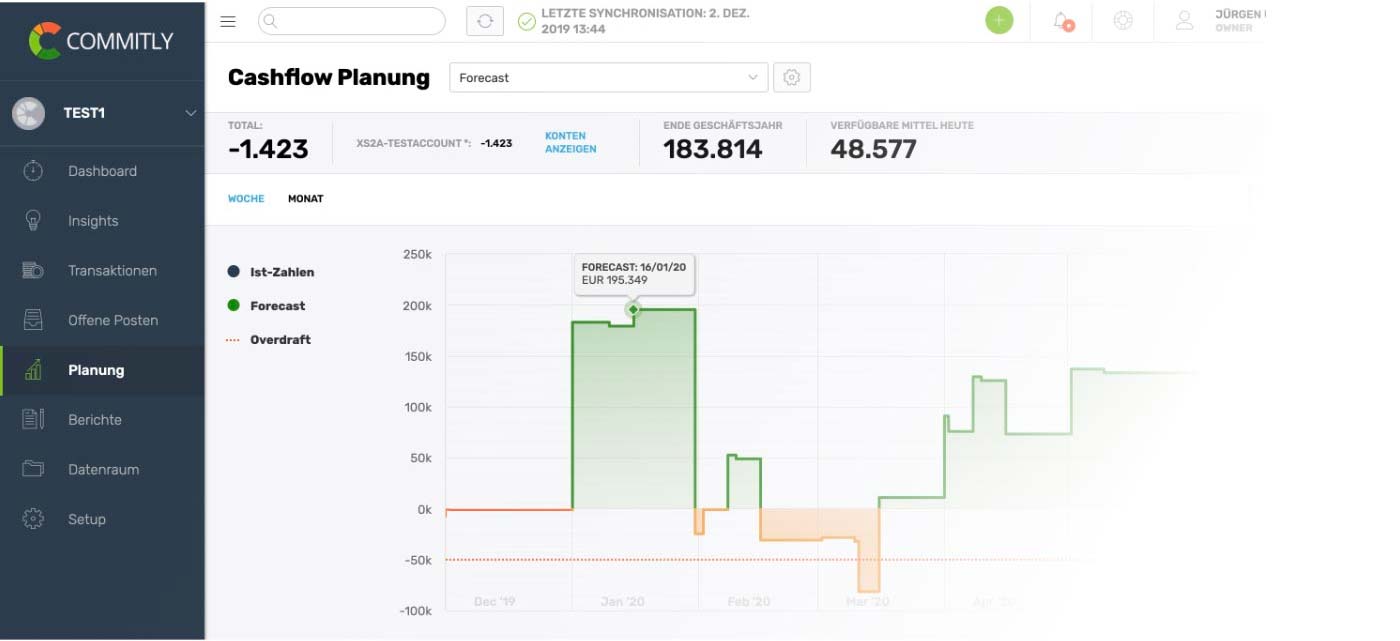
COMMITLY is a tool for advanced liquidity planning. By connecting with MOCO, all unpaid invoices are imported via interface at the touch of a button.
 (English image not yet available)
Benefits of Integration
Monitor Cashflows and Liquidity
By connecting with MOCO, all unpaid invoices are imported into COMMITLY via interface at the touch of a button. This automatically creates an easy-to-read list of outstanding items. Various statuses can be assigned to individual items in the list. Colour highlights enhance readability.
Of course, the outstanding items are also considered in liquidity planning! This gives you an immediate overview of your short-term liquidity development – accurate to the day.
Setting Up the Connection
1. In MOCO, go to Profile > Integrations at the top right
2. Copy the API key
2. Copy the API key
3. In COMMITLY, go to “Setup > Integrations”
4. Select “Connect MOCO”
5. Enter the subdomain from your personal internet address (Example: For https://my-company.mocoapp.com, it is my-company)
6. Paste the copied API key into the API Key field
7. In the “Outstanding Items” menu, you can now click “Load MOCO Invoices” to fetch the invoices.
4. Select “Connect MOCO”
5. Enter the subdomain from your personal internet address (Example: For https://my-company.mocoapp.com, it is my-company)
6. Paste the copied API key into the API Key field
7. In the “Outstanding Items” menu, you can now click “Load MOCO Invoices” to fetch the invoices.








