Alter News-Artikel!
» Hier geht's zur aktuellen Online-Hilfe
Article from
Custom Project List: New Columns Available.
In response to demand, new selectable columns are available for the custom project list. The data is linked and the columns can be sorted in ascending and descending order.
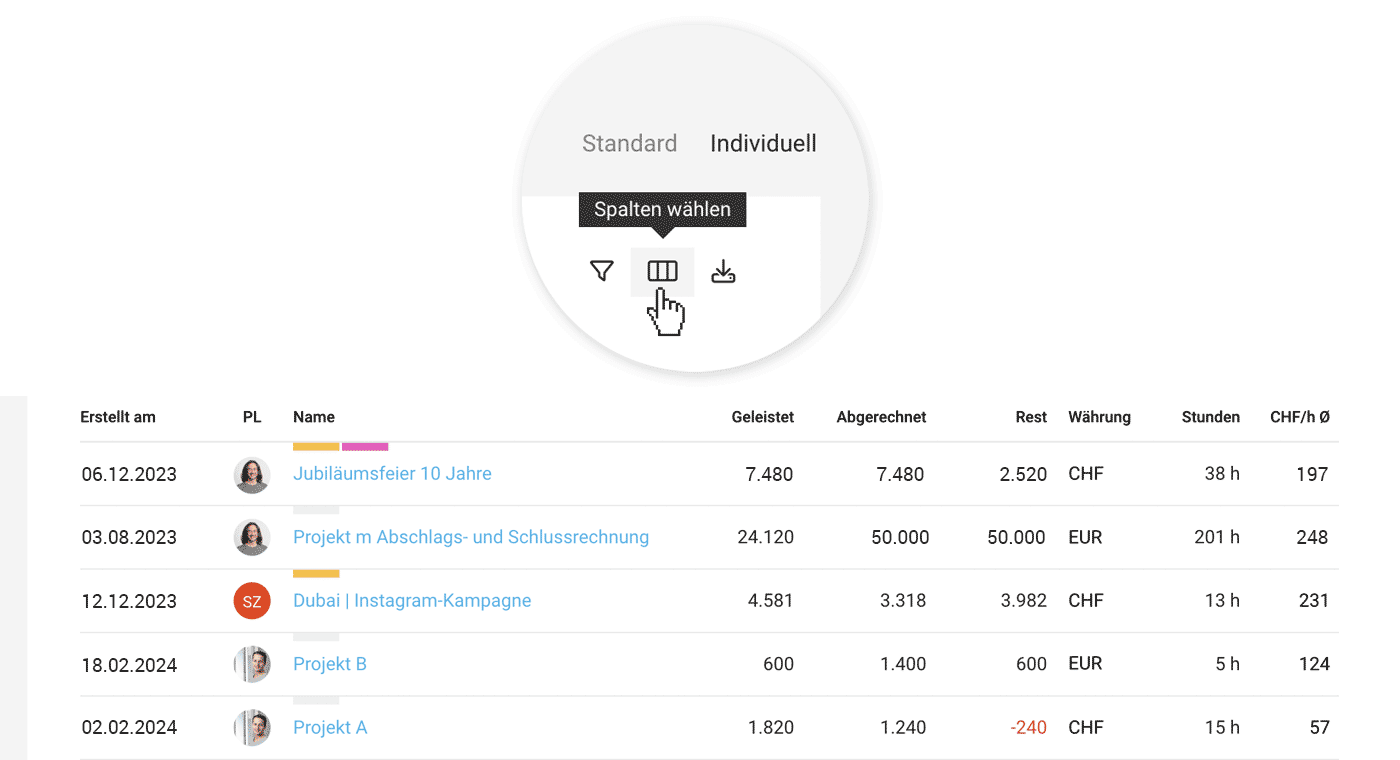 (English image not yet available)
Completed
Total (number) of recorded services, displayed graphically and with a tooltip in "Completed & Invoiced". Linked to the project report.
Hours
Total number of hours recorded on the project. Linked to the project timesheet.
Billable
Previously, there were columns "Billable h" and "Billable Additional Services". "Billable" includes all billable items – even from invoicing plans. This column is also found in the standard project list. Linked to the project's invoicing page.
Remaining
Specifies the budget not yet invoiced, similar to the information under "Invoicing" > "Billable". Linked to the project's invoicing page.
Effective Hourly Rate
The effective hourly rate is calculated based on the amount already invoiced minus additional service costs, indicating the hourly rate per completed hour. (Displayed in account currency).
Created On
Indicates when the project was created. This information can be found in the history on the project page (Notes & Files).
New Type for Custom Columns
Through custom fields, you can display your own columns. The "Multiline Input" type is now supported. Longer text will be truncated and can be displayed via tooltip.








