Alter News-Artikel!
» Hier geht's zur aktuellen Online-Hilfe
Article from
Accounting: Cost Centres for DATEV Unternehmen online.
Cost Centres on the Rise: In MOCO, you can now set up cost centres for invoices and expenditures with the accounting option "DATEV Unternehmen online Direct Transfer".
Goal: Populate KOST1 and KOST2 in DATEV
For incoming and outgoing invoices (see sample image from DATEV), the fields KOST1 and KOST2 can now be filled via MOCO.
 (English image not yet available)
(English image not yet available)Setup in MOCO
In the settings under "Accounting" > "Cost Centres", you can choose which information should be transferred to DATEV. This can either be the project number or a custom-defined entry at the project or document level (Invoice/Expenditure).
Project Number
Transferred when the invoice is created directly for the project.
Custom Control via Custom Fields
Through a custom field (type Single Selection or Single Line Entry) on Project or Invoice or on the Expenditure, you can define individual cost centres for selection (1).
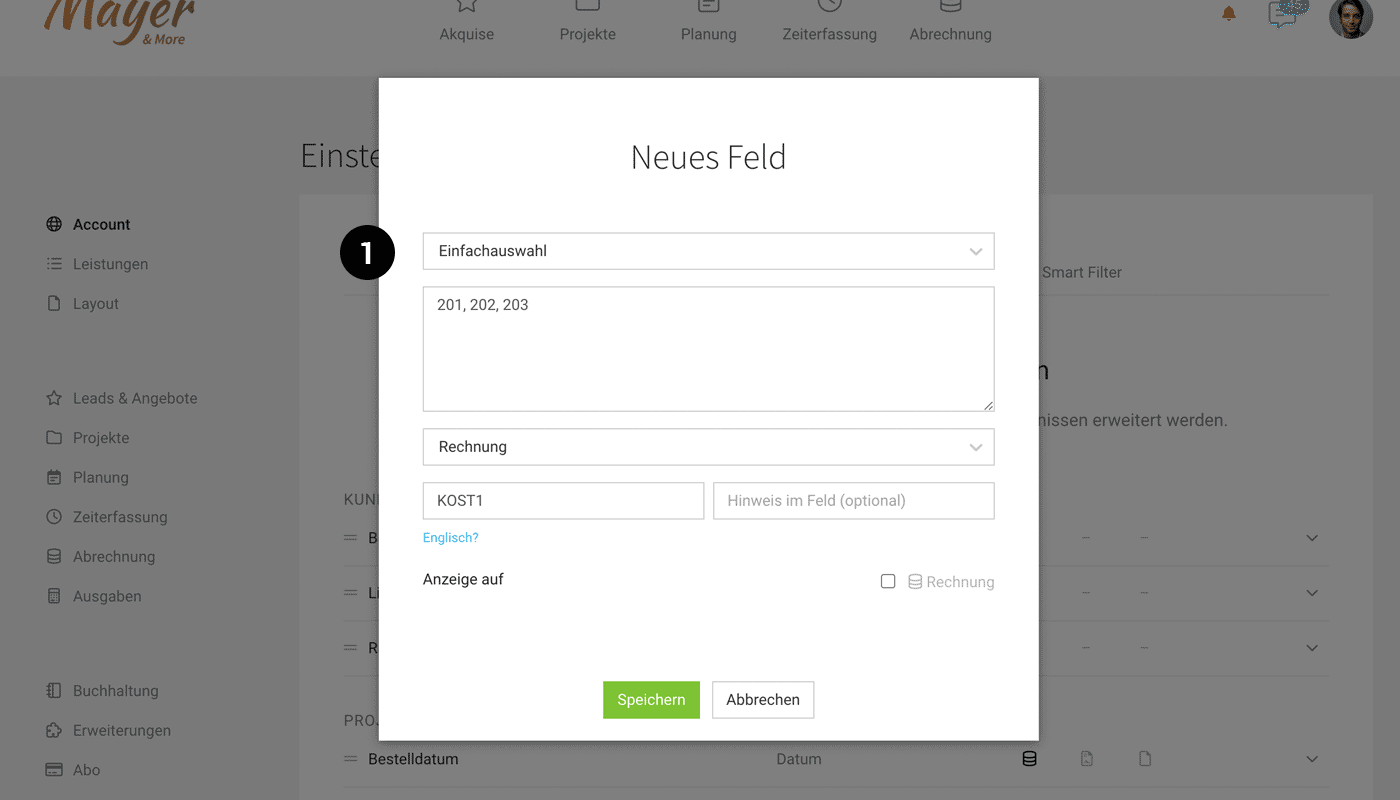 (English image not yet available)
It can then be selected in the settings via the dropdown for mapping (2)
When you select the desired cost centre at the destination (3), it will be transferred with the accounting export.
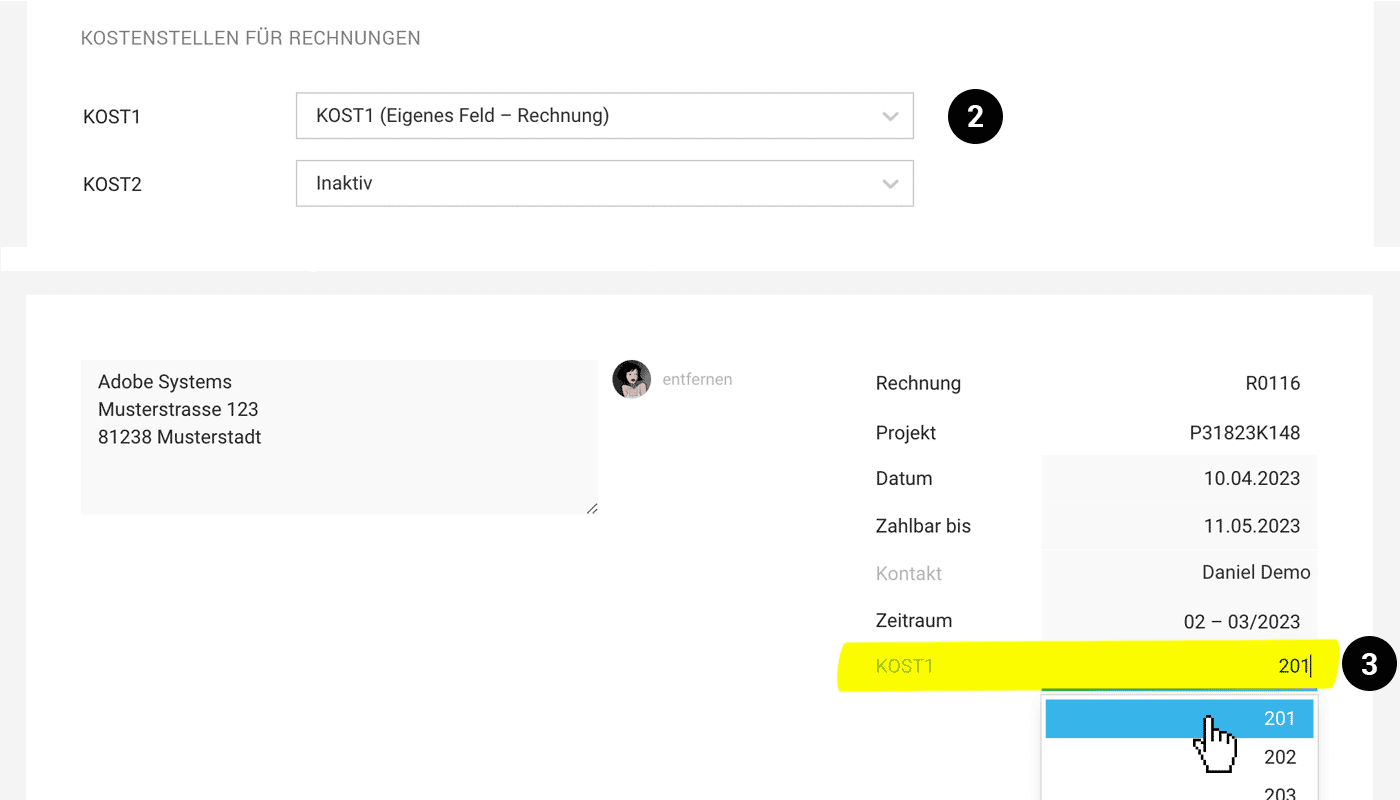 (English image not yet available)







