Alter News-Artikel!
» Hier geht's zur aktuellen Online-Hilfe
Article from
Quick Wins Around Invoices.
 (English image not yet available)
The History of an Invoice Also Covers the Dunning Process
Previously, status and email dispatch information were always available in the "Notes & Files" section as history for each document. To provide an overview of the entire process for invoices, individual details for invoices and dunning notices have been consolidated into a comprehensive history.
Optimized Variables for Dunning Notices
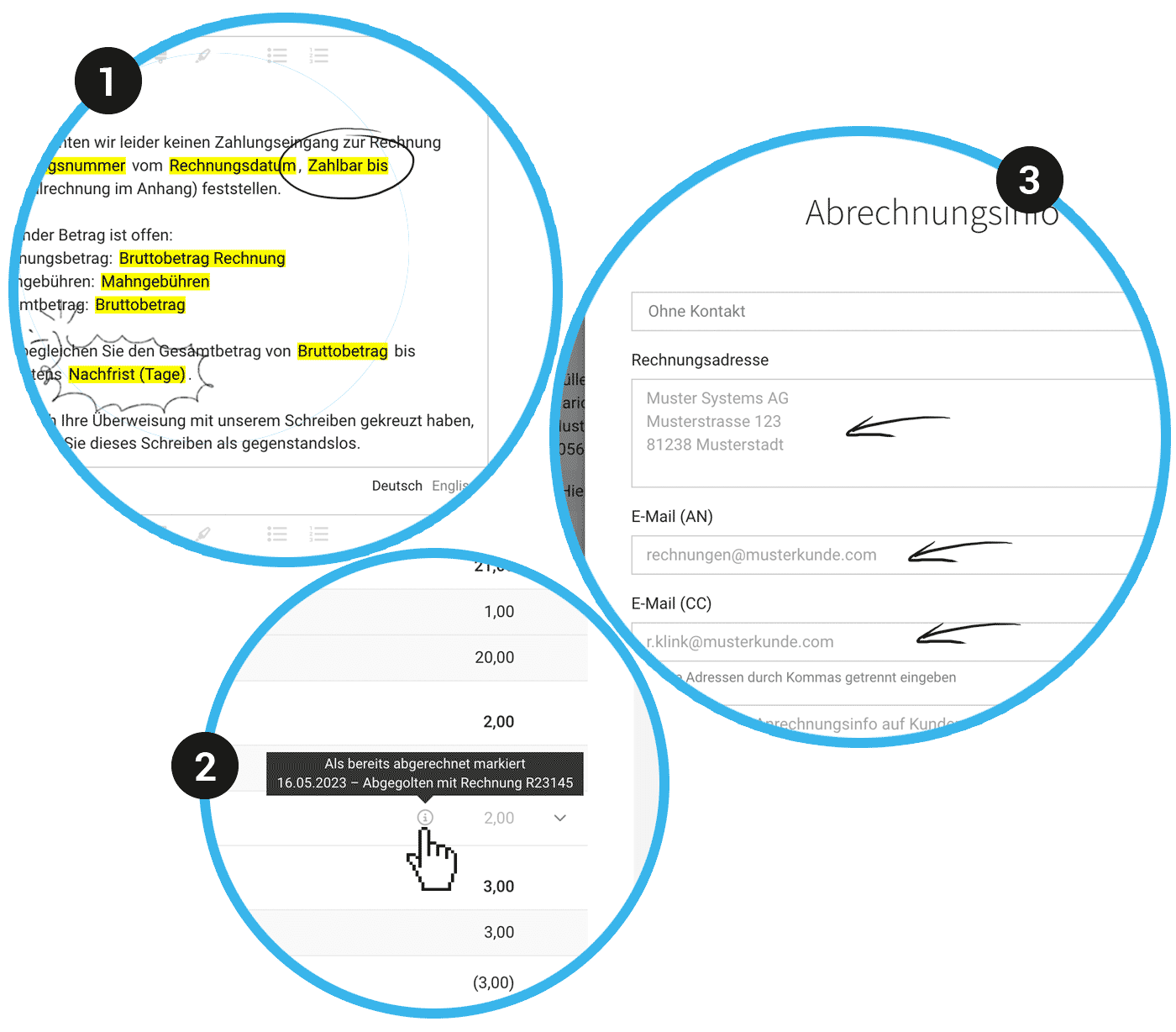
A new variable "Payable Until" is now available for dunning notices, which outputs the due date of the invoice. The variable "Payment Term (Days)" has been changed to "Grace Period Days" (1), making it clear that it refers to the set grace period for the dunning notice.
Formatting Toolbar Moves with You
The formatting toolbar for text fields in proposals and invoices now moves with you, making it more convenient to edit longer texts.
New Variable for First Name
There is a new variable "User First Name" for cases where, for example, you prefer the informal address in the email text and want to automatically display the sender's name.
Improved Traceability of "Already Invoiced"
For items marked as "already invoiced," not only the info and date are now displayed via the "i" but also the associated comment (2).
Optimized Invoicing Info at Project Level
The standards from the client level, which can be overridden at the project level, are now displayed in grey as placeholders (3). This ensures that it is always clear what applies if not overridden in the project.
Ticket Link Available Directly Before Invoicing
Ticket links, similar to timesheets, are now also displayed under "Billable Items," allowing for direct traceability at this level.








