Alter News-Artikel!
» Hier geht's zur aktuellen Online-Hilfe
Article from
Quick Wins: Additional Services, Expenditure Approval, UX, Exports, Zapier & API.
 (English image not yet available)
Additional Services: Predefinable Characteristics
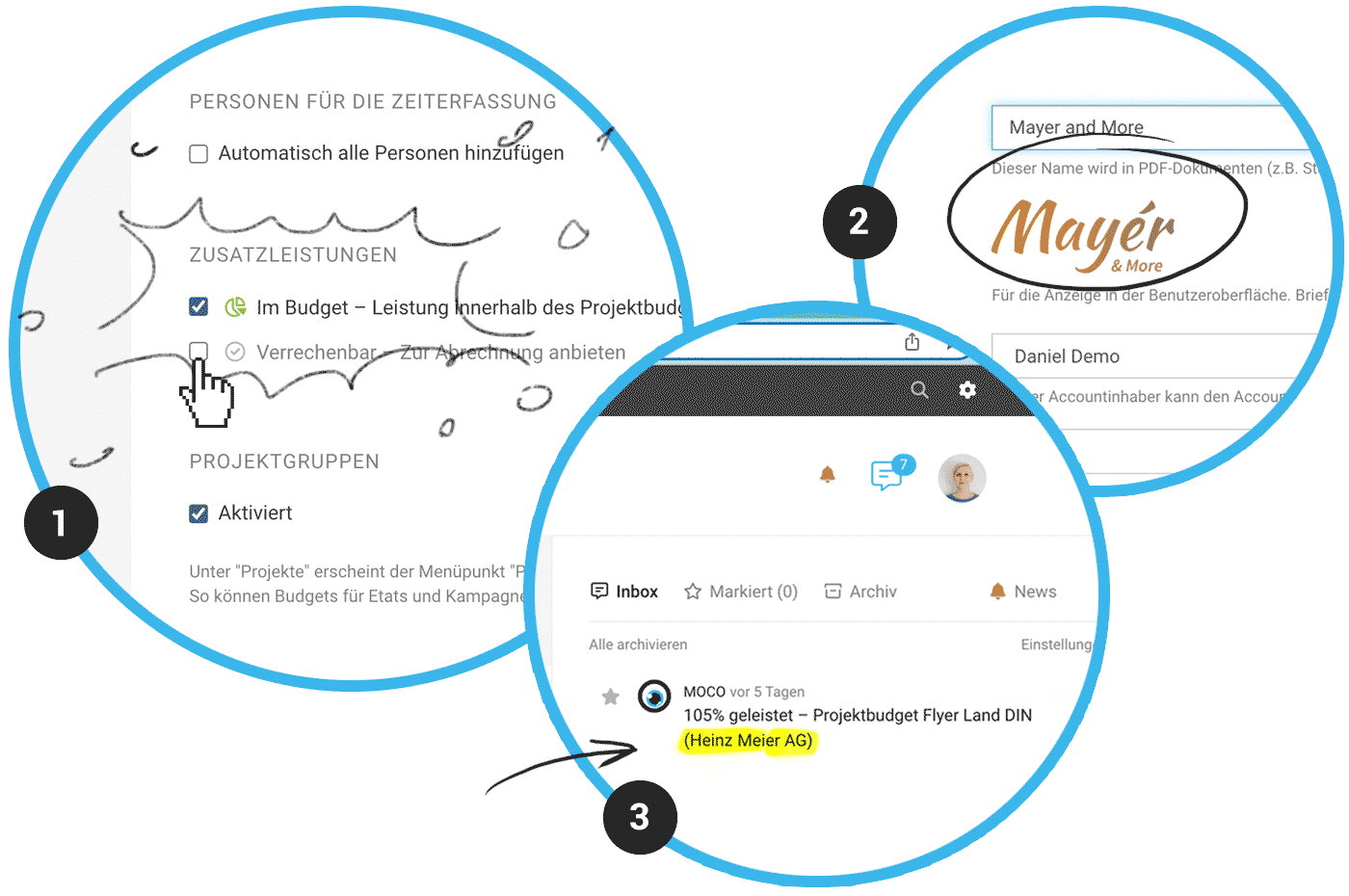
In the settings under "Projects", you can now predefine how new additional services added to a project should be characterized in terms of billability/in-budget (1). This applies to:
- New manually created additional services in the project or the central list
- New additional services adopted from a proposal
- New additional services assigned to an expenditure
Expenditures: Easier Approval Deletion
- A person with full access to expenditures can delete an incorrect approval request (previously restricted to the creator)
- Under "Notes & Files", the deletion of the approval request is documented.
Planning: Further Performance Optimisation
Data loading has been further optimised to ensure smooth horizontal scrolling without any perceived "lag".
Minor UX Improvements
- The uploaded logo (Settings > Account) is now directly displayed in the settings for orientation (2).
- Credit notes and refunds are no longer checked for overdue status. This is generally not desired and avoids errors in mass dunning creation.
- Time tracking: The link to adopt predefined working hours has been moved to the top centre, making it clearer than previously next to "New Entry".
- When accessing the service catalogue, services and additional services are displayed expanded. This saves a click.
- Project notifications now also informatively display the client (3).
- After online confirmation of proposals, the confirmation details (name, email, and signature) are also displayed directly below the proposal.
- Time tracking: When choosing the display setting in "hh:mm" instead of decimal (Profile), the sum is now also shown in hh:mm in the "daily boxes". Previously, the display was focused on the daily total. For more space and clarity, we are already testing a display of 3 instead of 4 weeks ;-)
Exports
- Leads now also include the column "Updated on"
- Payments for expenditures now include the columns "Document Number" and "Reference"
Zapier
New Trigger "New Purchase Payment" and New Action "Create Purchase Payment"
Outgoing payments can be recorded, and you can be informed via trigger
Outgoing payments can be recorded, and you can be informed via trigger








