Alter News-Artikel!
» Hier geht's zur aktuellen Online-Hilfe
Article from
New Settings for Accounting.
The settings for expenditures and accounting have been revised, restructured, and enhanced with manageable tax rates. Here we present the key updates:
Expenditure Categories Move to Accounting
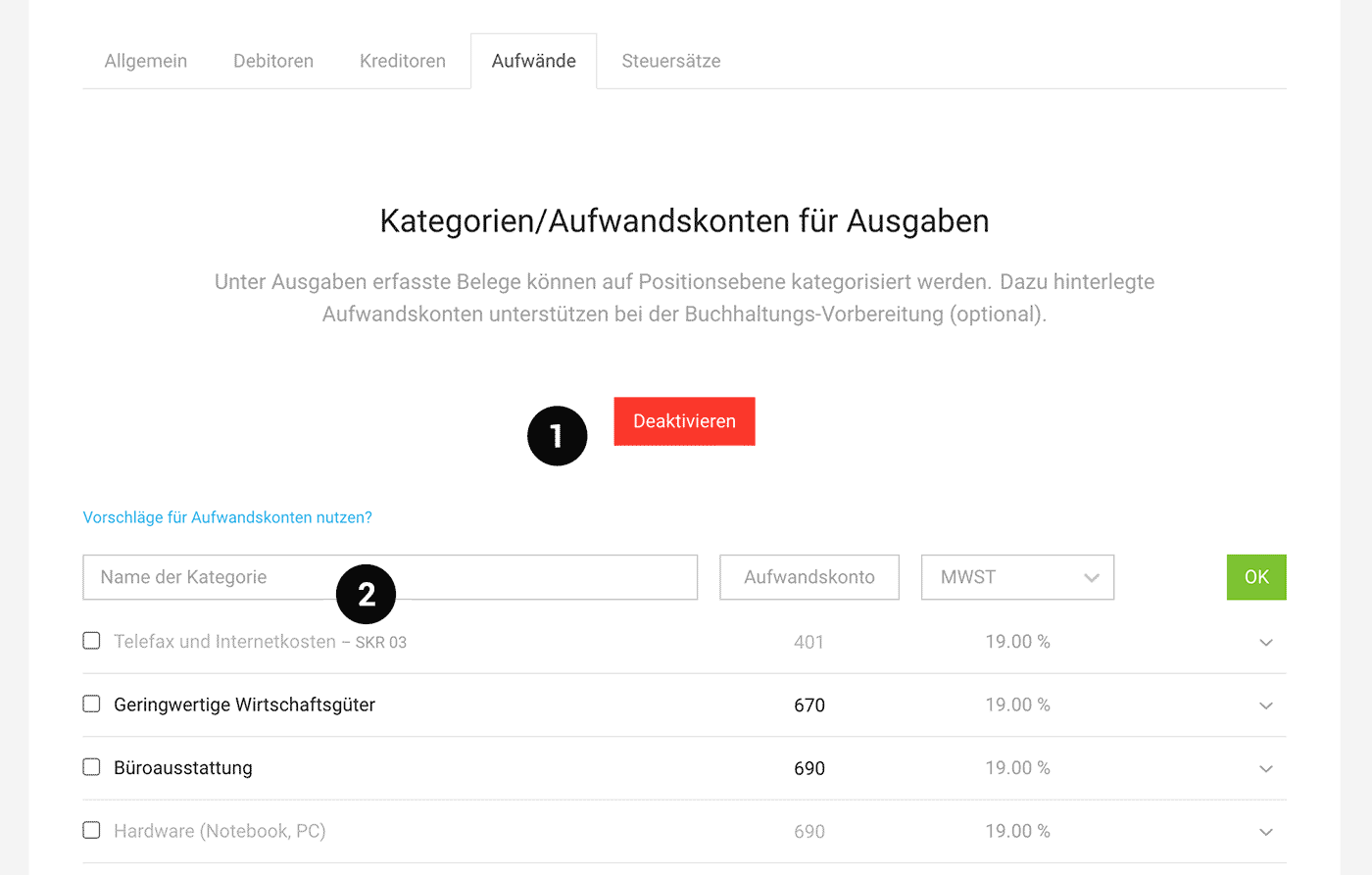
Categories (including expense accounts) can still be activated and managed as before. Since they primarily play a role in accounting, they have been moved to the "Accounting" settings menu under the new tab "Expenses."
Background: Recording expenditures without categories is quicker and offers the greatest value with DATEV Unternehmen online. Otherwise, expense accounts can also be assigned later in accounting. Future developments aim to enable an individual view of cost centers/profit centers.
 (English image not yet available)
(1) Activate categories
(2) Record categories and select suggestions
Background: Recording expenditures without categories is quicker and offers the greatest value with DATEV Unternehmen online. Otherwise, expense accounts can also be assigned later in accounting. Future developments aim to enable an individual view of cost centers/profit centers.
(English image not yet available)(1) Activate categories
(2) Record categories and select suggestions
Personal Expenses Get Their Own Page
The personal expenses function is now activated in its own tab under "Expenditures" > "Personal expenses." After activation, categories can be selected.
New: Tax Rates
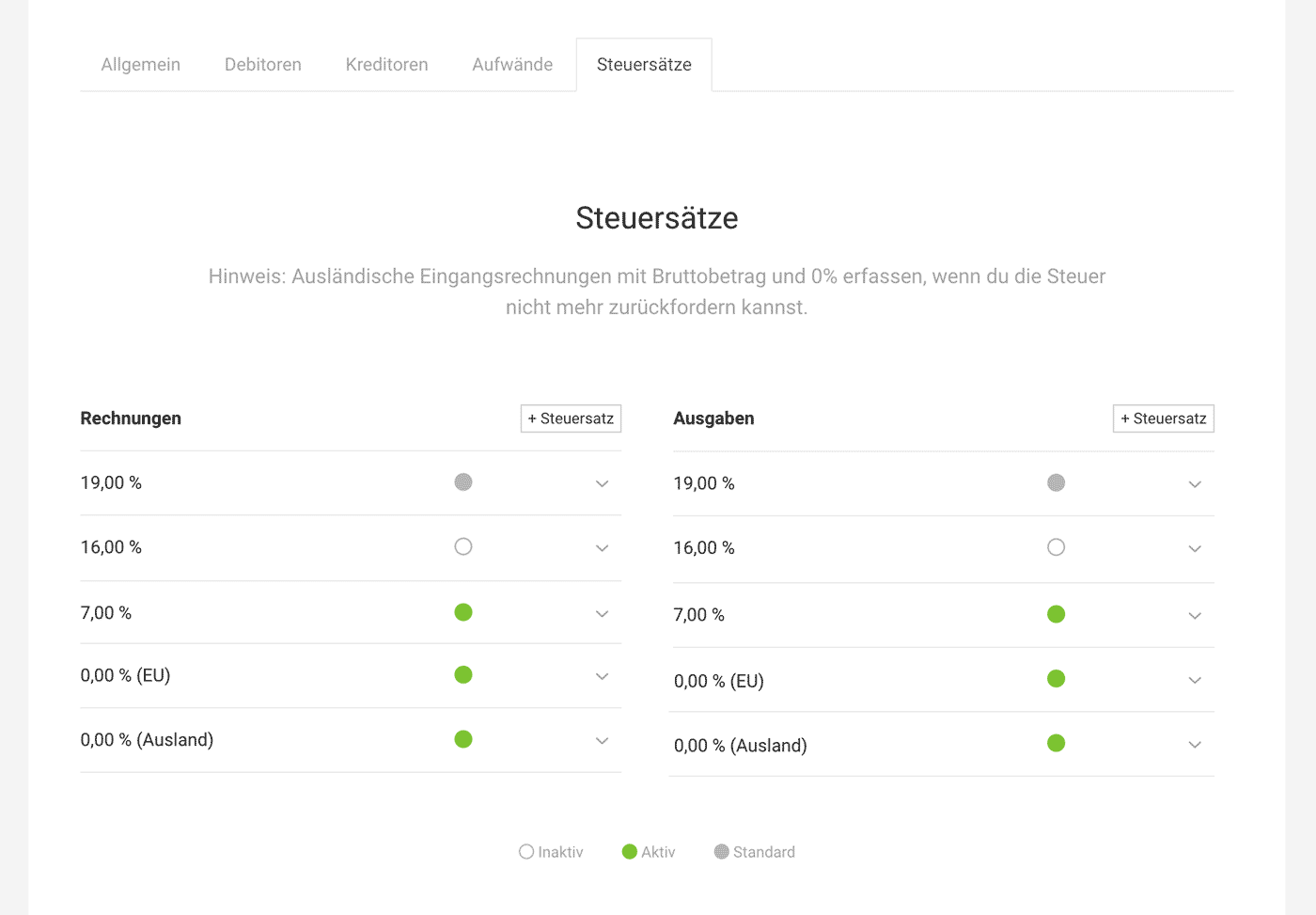
Under "Accounting," you will now find the account's tax rates. You can select the standard tax rate there and add additional tax rates if needed, for example, if you are also registered as a business in another country.
Note: Expenditures with tax from abroad and the EU are always recorded with a gross amount of 0% (EU) or 0% (abroad) if you cannot reclaim the input tax.
 (English image not yet available)
Note: Expenditures with tax from abroad and the EU are always recorded with a gross amount of 0% (EU) or 0% (abroad) if you cannot reclaim the input tax.
(English image not yet available)







