Alter News-Artikel!
» Hier geht's zur aktuellen Online-Hilfe
Article from
Time Tracking: Enhanced Report, Always Round Up Automatically & More..
 (English image not yet available)
Enhanced Time Tracking Report
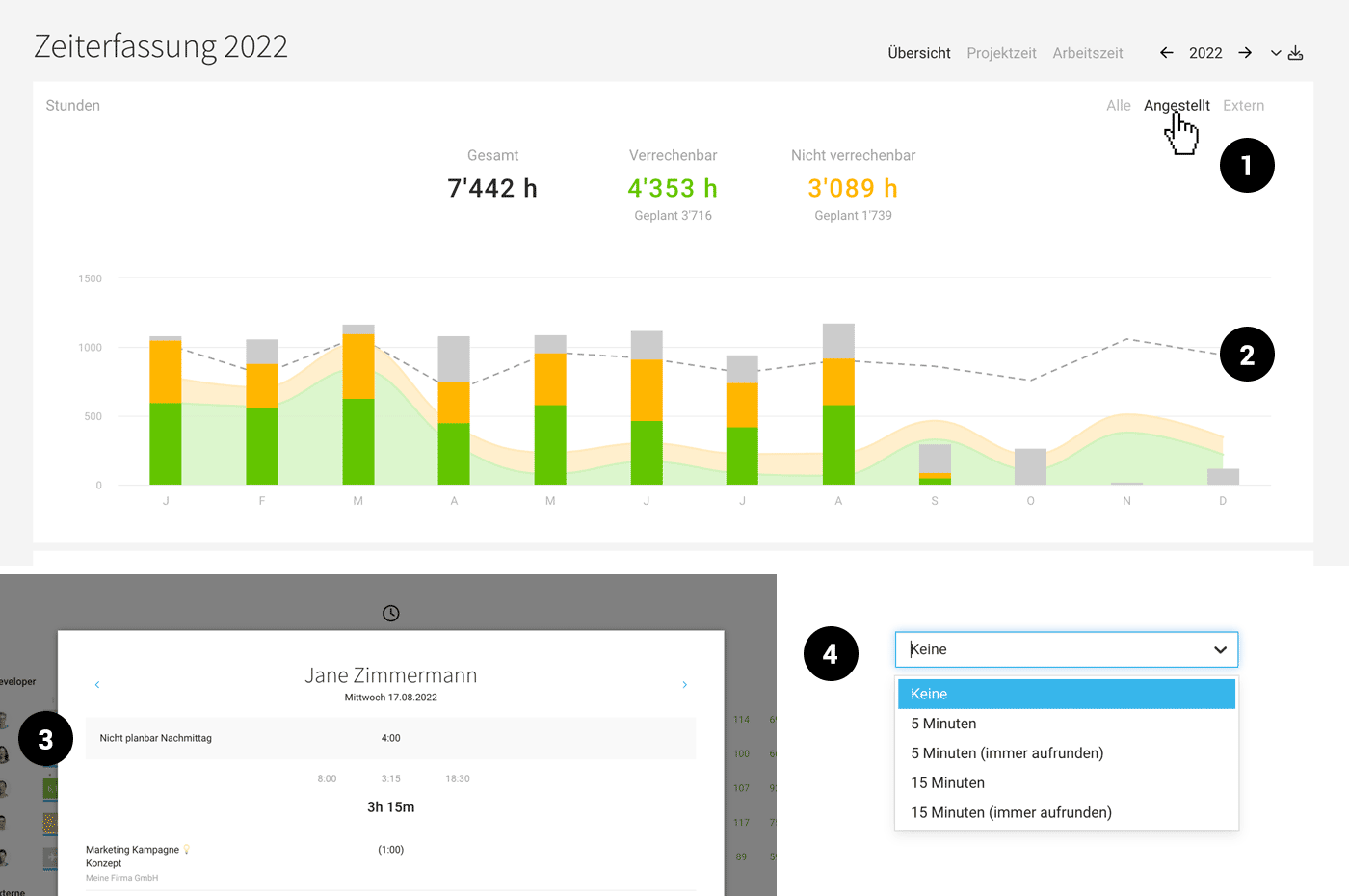
The new toggle switch at the top right (1) allows you to
- View internal and employee data separately.
- Compare recorded project time against the target (2).
- See how many target hours are planned for the coming months.
Display of Absences in Daily Timesheet
In the report under "Reports" > "Time Tracking" > "Project Time", days with only a few hours can be confusing. To make it clear how many hours are already covered by absences, the absences for the day are now displayed in the daily timesheet (click on the day) (3).
Always Automatically Round Up Project Time
Previously, the rounding option would round up or down (except rounding down to 0). The two new options now only round up – in 5-minute or 15-minute increments (4).








