Alter News-Artikel!
» Hier geht's zur aktuellen Online-Hilfe
Article from
Predefine Invoicing Info and Timesheet at Client Level.
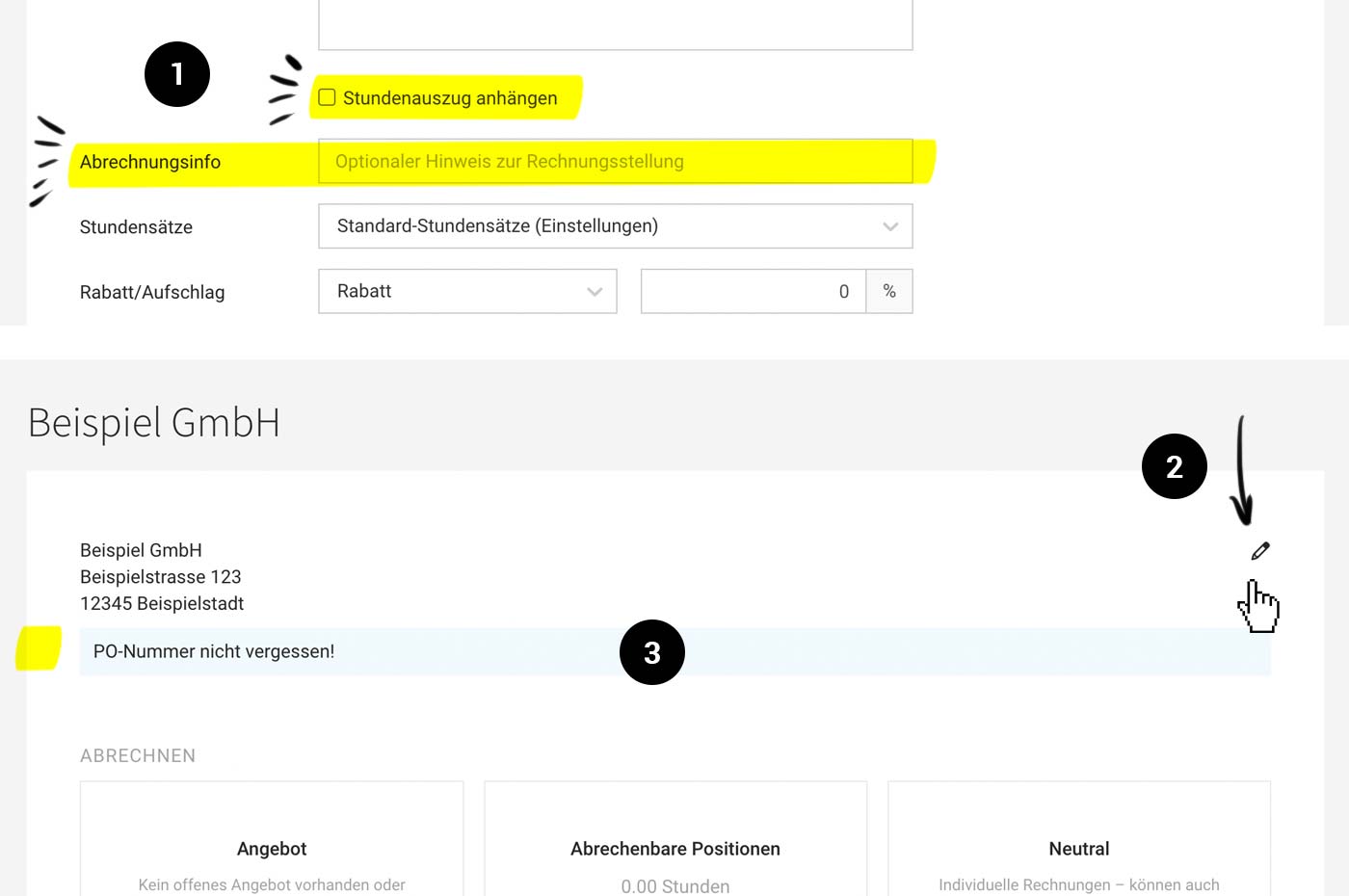
If there are specific agreements with the client that must not be overlooked during invoicing, a note can be added in the "Invoicing Info" field. This note accompanies the process from the invoicing page (3) to the generated invoice.
Previously, this note could be recorded in the project under "Invoicing" – now it is also possible at the client level. The info at the client level is displayed not only during invoice creation for the client (collective invoice or free invoice) but also in all projects – unless overridden in the project.
 (English image not yet available)
Previously, this note could be recorded in the project under "Invoicing" – now it is also possible at the client level. The info at the client level is displayed not only during invoice creation for the client (collective invoice or free invoice) but also in all projects – unless overridden in the project.
(English image not yet available)How to record the invoicing note for the client:
1. Go to the client (quickest via keyboard shortcut "/" (global search)
2. Add the info in the client data by editing (1) or directly on the invoicing page (2)
Timesheet should be included in the invoice
It can also be defined at the client level whether the timesheet should automatically be attached to the invoice (1). The checkbox can still be deselected at the project level as well as directly in the invoice.
Apart from the functional additions, the form has been redesigned so that, for example, email and email CC are directly aligned and the details follow the invoicing process more closely.
2. Add the info in the client data by editing (1) or directly on the invoicing page (2)
Timesheet should be included in the invoice
It can also be defined at the client level whether the timesheet should automatically be attached to the invoice (1). The checkbox can still be deselected at the project level as well as directly in the invoice.
Apart from the functional additions, the form has been redesigned so that, for example, email and email CC are directly aligned and the details follow the invoicing process more closely.








