Alter News-Artikel!
» Hier geht's zur aktuellen Online-Hilfe
Article from
Planning: Modify Recurring Entries, Filter by Labels, Remaining Hours per Day.
With a focus on further developing capacity planning, various optimizations have been implemented.
Modify Recurring Entries
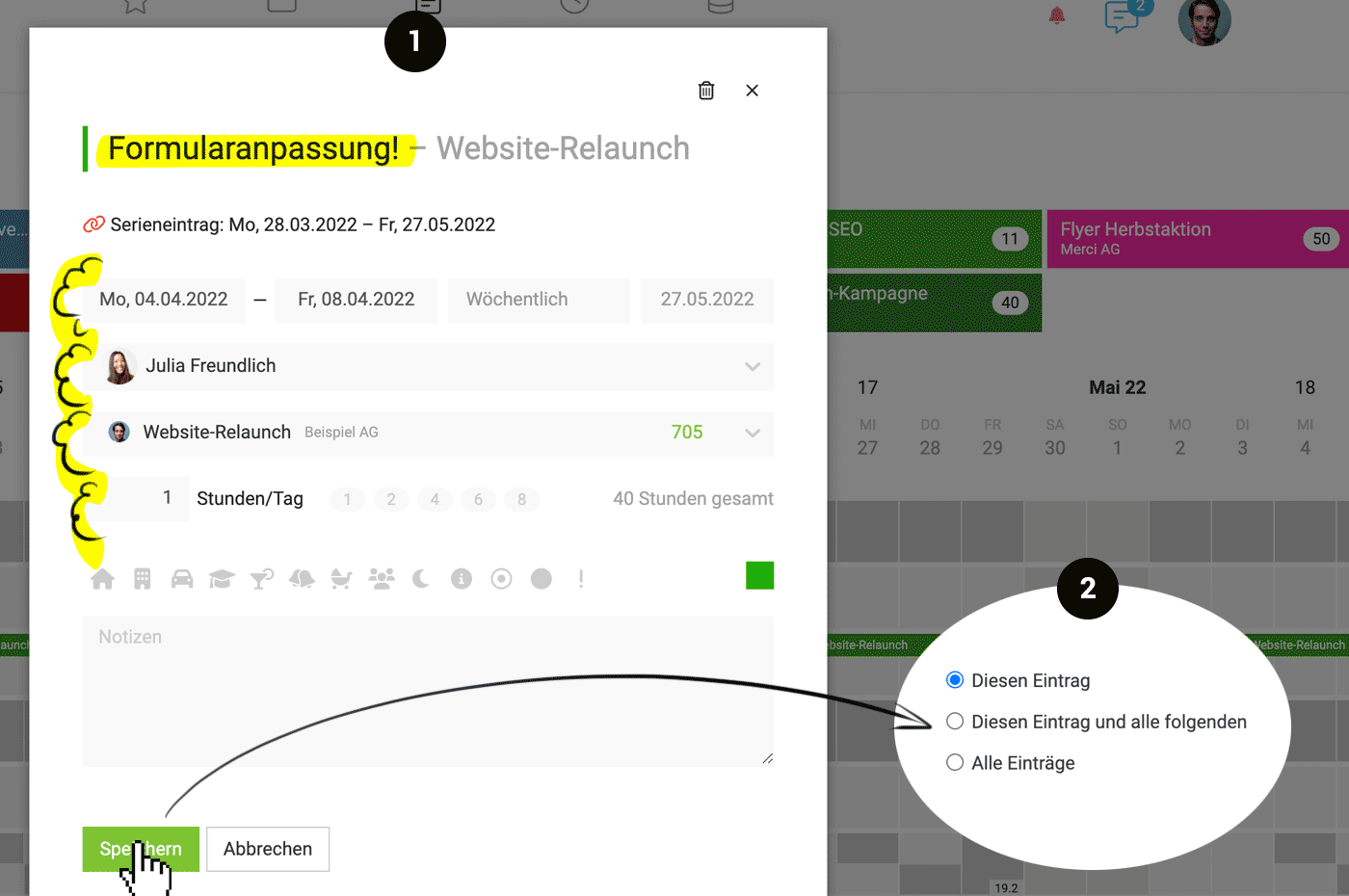
Now you can change titles, weekdays, person, project, and hours (1). The following scenarios are now easier and can be handled without workarounds:
- During holiday absences, change the assigned person for individual entries.
- If a large volume of leads has been placed as a placeholder in planning through an internal project – and you want to change it to the created project after commissioning, adjust the project for the entire series.
- Client reduces the hours quota from next month: Adjust the number of hours for all entries from next month.
- Note a specific ToDo or deadline within the series: Add or change the title for a single entry.
 (English image not yet available)
A change can always be saved for the single entry, for the selected and all following entries, or for the entire series (2).
Right-click: Detach from Series
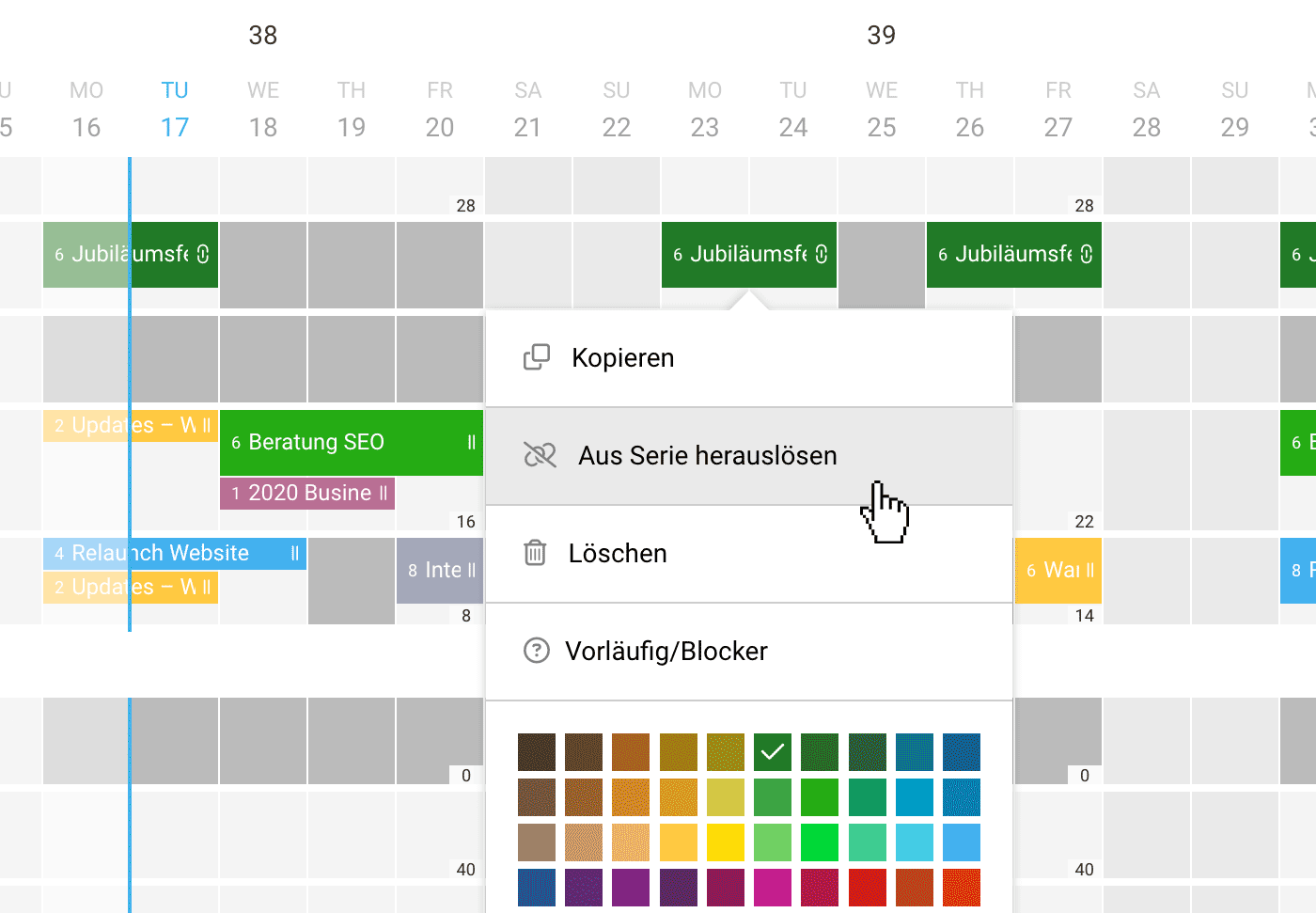
With a right-click, a sequence can now be easily detached and moved to another person (1)
 (English image not yet available)
(English image not yet available)Filter by Labels
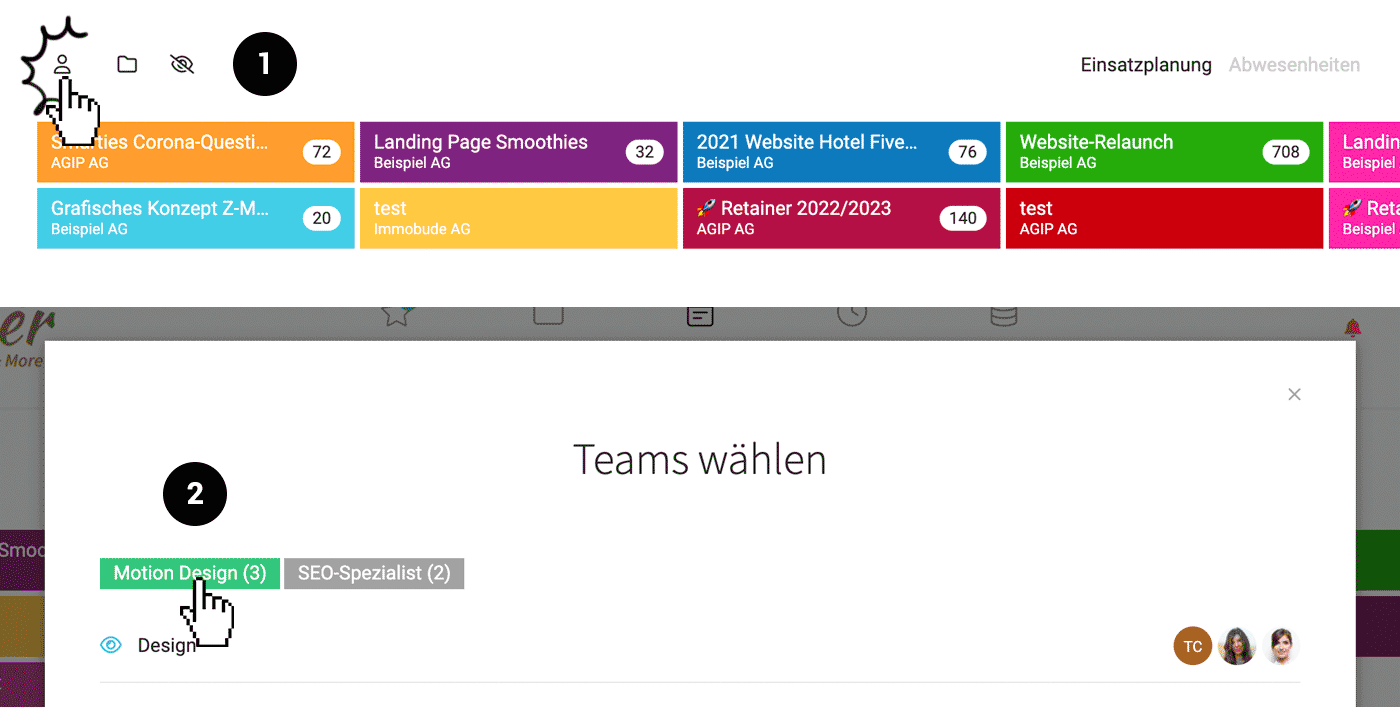
Through team selection (1), you can filter by personal labels (previously assigned under "Personnel") (2). This can be extremely helpful in the following cases:
- Filter by skills to see exactly which people are available and have capacity.
- Filter by project teams. Teams in MOCO structure the people and are intended for fixed teams such as departments. A second team level can be represented through labels. This allows quick filtering under "Personnel" and also here in planning.
 (English image not yet available)
Expanded Remaining Hours Display
- The remaining hours per person are displayed in the zoom view for each day instead of for the entire week.
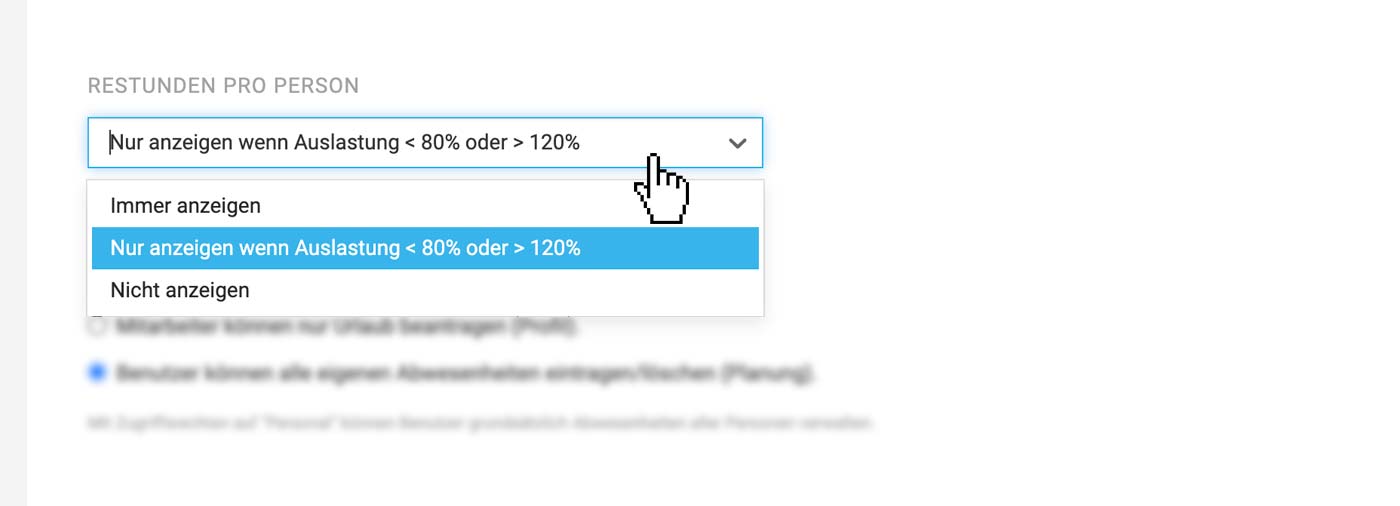
- You can choose in the settings whether the remaining hours should always or never be displayed. The default is to display when utilization is < 80% or > 120%.
- If a person is "overbooked," the highlighting is orange. The previous orange text color was not noticeable enough.
 (English image not yet available)







