Alter News-Artikel!
» Hier geht's zur aktuellen Online-Hilfe
Article from
Quick Wins: Merging Companies, Copy Daily Entries & More.
 (English image not yet available)
Search
Find Recurring Additional Services
Recurring additional services can now be searched and found using the global search (Shift + 7).
Recurring additional services can now be searched and found using the global search (Shift + 7).
Companies
Merge Companies – e.g., for Duplicate Clients
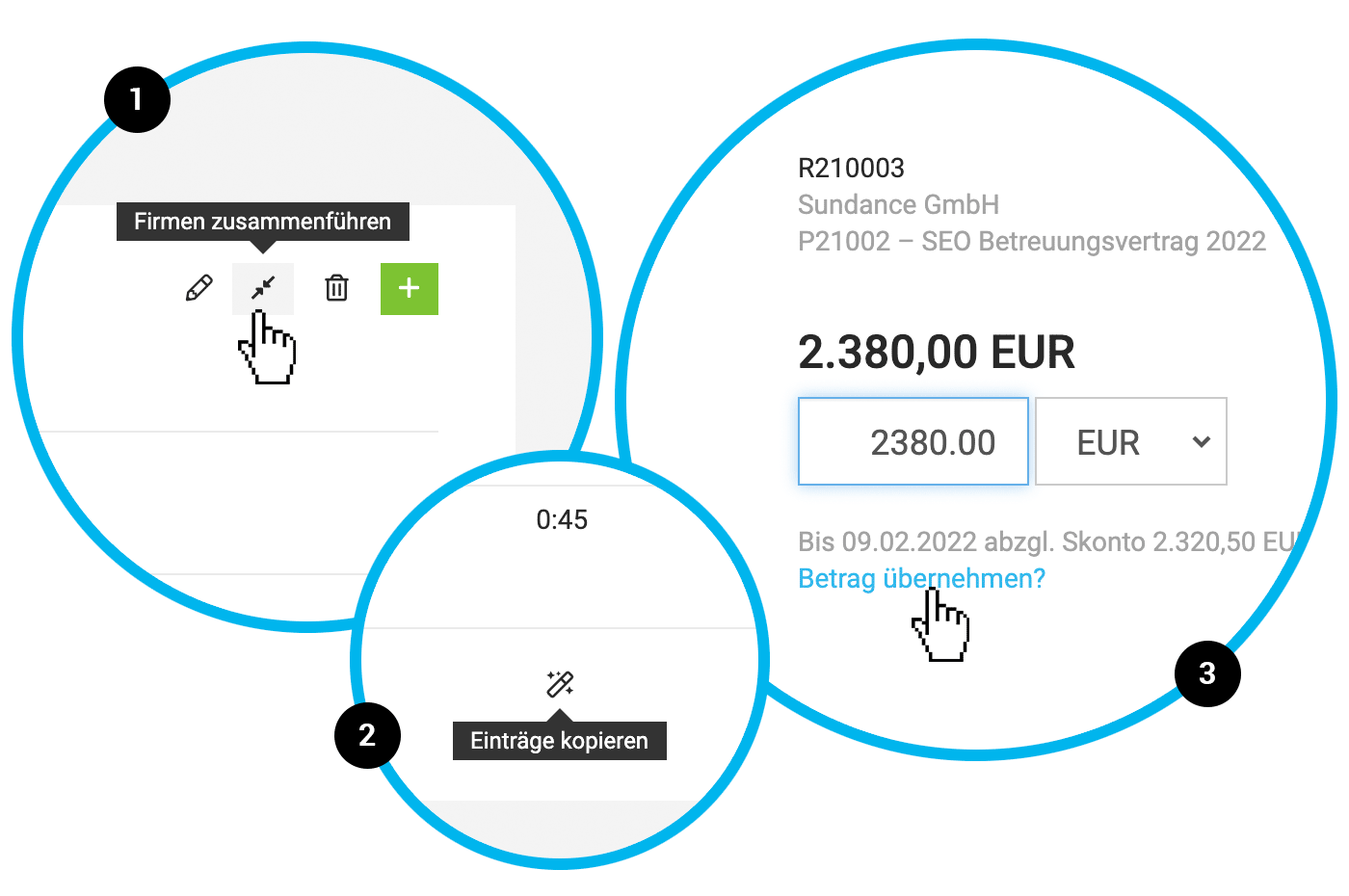
Companies of the same type can now be merged. All projects, proposals, etc., will be assigned to the company that remains. You can find this option directly at the company in the top right as an action (1).
Companies of the same type can now be merged. All projects, proposals, etc., will be assigned to the company that remains. You can find this option directly at the company in the top right as an action (1).
Time Tracking
Copy Entries to Another Day
Click on the "magic wand" (2) at the bottom of the time tracking.
Hide "Period" Info in Timesheet
The period information in the info block can be disabled for timesheets in the settings under "Layout" > "Timesheets".
Click on the "magic wand" (2) at the bottom of the time tracking.
Hide "Period" Info in Timesheet
The period information in the info block can be disabled for timesheets in the settings under "Layout" > "Timesheets".
Invoices
Apply Discount Payments with One Click
For invoices with discounts, MOCO offers the reduced discount amount for adoption with one click during payment entry (blue link see 3).
Notice When Sending a Draft
To prevent unintentionally sending drafts to the client, MOCO additionally indicates the status in the title and confirmation button in the dialog before sending the email.
For invoices with discounts, MOCO offers the reduced discount amount for adoption with one click during payment entry (blue link see 3).
Notice When Sending a Draft
To prevent unintentionally sending drafts to the client, MOCO additionally indicates the status in the title and confirmation button in the dialog before sending the email.
Planning
Notice for Projects No Longer Active
Projects that are planned but already archived are displayed in a softened manner.
Projects that are planned but already archived are displayed in a softened manner.
Expenditures & Accounting
Payment Method for Accounting
The payment method for expenditures is transmitted as info to the accounting or is part of the accounting export.
Choose Category Retroactively
Even after the approval of personal expenses or exported expenditures, a category can still be assigned to individual items.
The payment method for expenditures is transmitted as info to the accounting or is part of the accounting export.
Choose Category Retroactively
Even after the approval of personal expenses or exported expenditures, a category can still be assigned to individual items.








