Alter News-Artikel!
» Hier geht's zur aktuellen Online-Hilfe
Article from
Tax Codes for Accounting.
MOCO aims to be simple while still providing optimal data for accounting. Therefore, we continue to refine the transition step by step.
Keeping Tax Rates on Track
Most of you might have noticed – the previously free input for tax rates has been quietly replaced with a fixed selection. This selection can be expanded if needed – but for now, only by us. So, if you use specific tax rates for certain reasons (e.g., as an Austrian account using the temporary reduced tax rate of 5% for books), just contact us via the service at the bottom right (or choose "Contact Form" in the footer).
Manage Tax Codes and Revenue Accounts
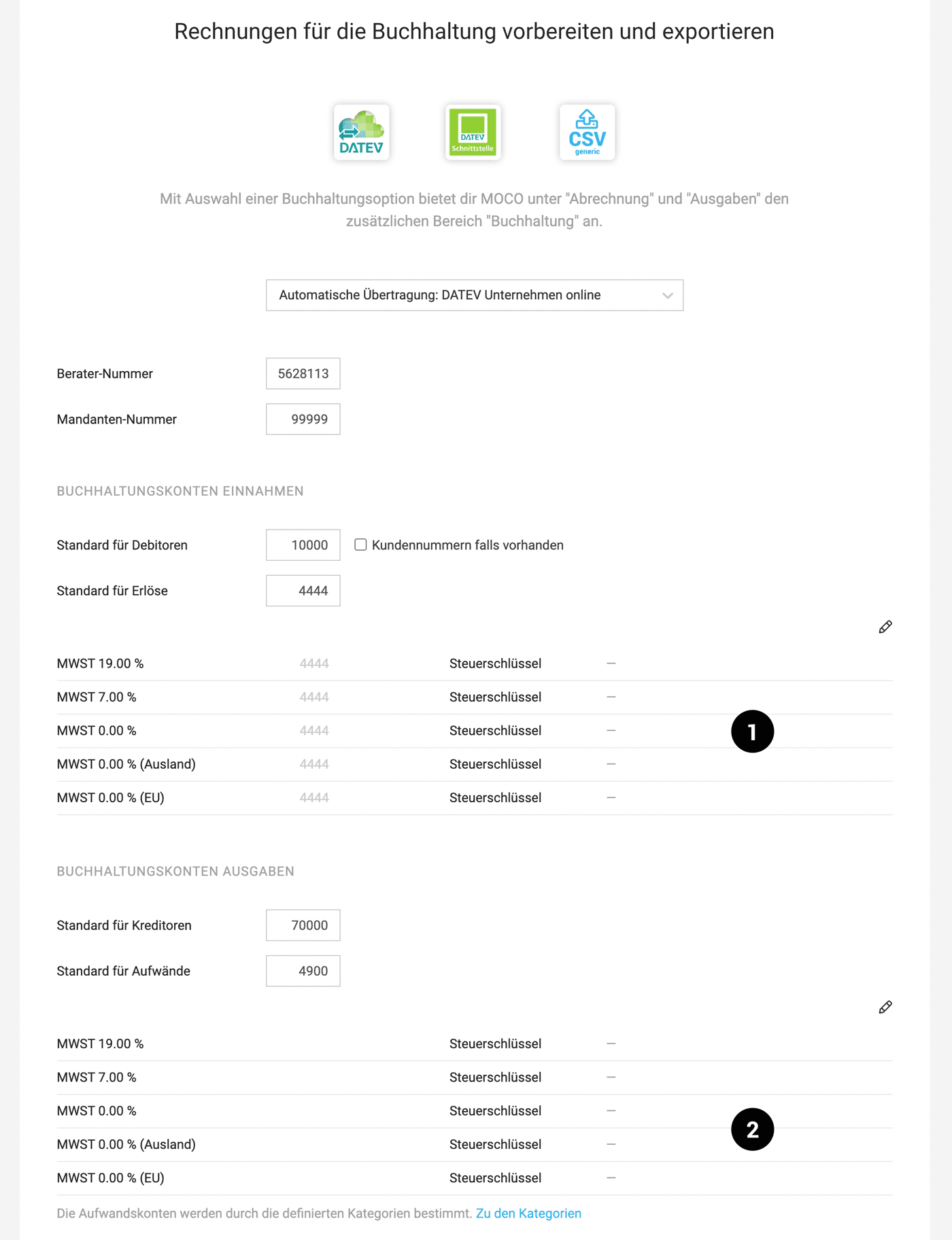
In the settings under "Accounting," you manage the tax codes for the tax rates. This is done in the sections for Income (1) and Expenditures (2). You can also assign revenue accounts for the different tax rates here. The expense accounts are controlled through the individually definable categories.
 (English image not yet available)
Tax codes and revenue accounts are also part of the accounting exports.
Keeping Tax Rates on Track
Most of you might have noticed – the previously free input for tax rates has been quietly replaced with a fixed selection. This selection can be expanded if needed – but for now, only by us. So, if you use specific tax rates for certain reasons (e.g., as an Austrian account using the temporary reduced tax rate of 5% for books), just contact us via the service at the bottom right (or choose "Contact Form" in the footer).
Manage Tax Codes and Revenue Accounts
In the settings under "Accounting," you manage the tax codes for the tax rates. This is done in the sections for Income (1) and Expenditures (2). You can also assign revenue accounts for the different tax rates here. The expense accounts are controlled through the individually definable categories.
(English image not yet available)Tax codes and revenue accounts are also part of the accounting exports.








