Alter News-Artikel!
» Hier geht's zur aktuellen Online-Hilfe
Article from
Quick Wins June
Services vs. Additional Services
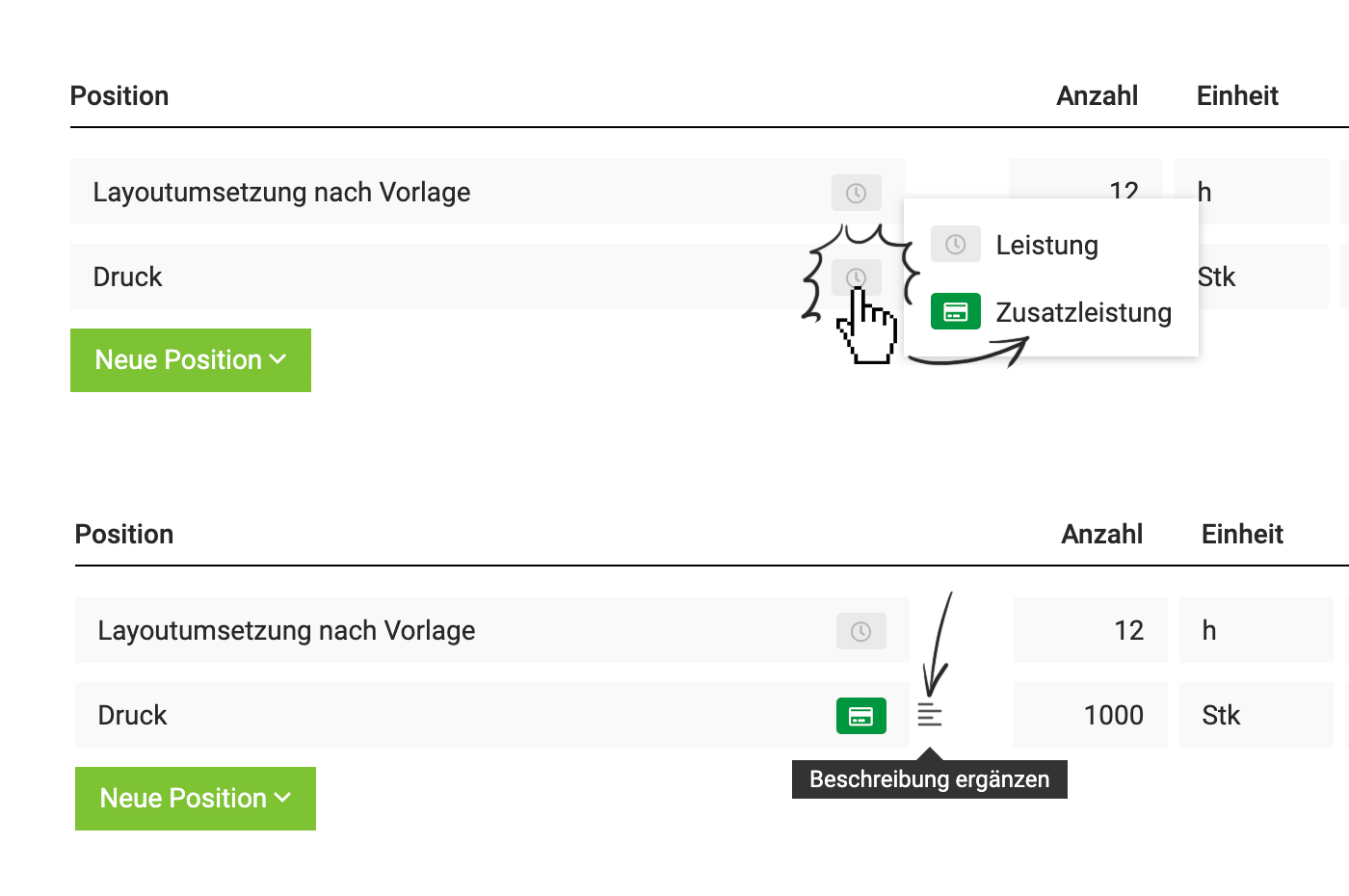
New is the green marking (instead of the previous green border). This allows you to more easily switch the service type (Service <> Additional Service – instead of previously using the dropdown on the right).
 (English image not yet available)
(English image not yet available)Description as a consistent component
Descriptions are now part of the additional service in proposals and invoices – enabling a seamless workflow from predefined additional service, catalogue, proposal, project, to invoice.
Costs can already be recorded for predefined additional services. They are carried over into the project – and also into the upcoming optional cost calculation feature at the proposal level.
Outgoing and Incoming Invoices
The urgency of payments for outgoing and incoming invoices should be clearer. Therefore, the list views have been optimized – as uniformly as possible despite their different nature.
 (English image not yet available)
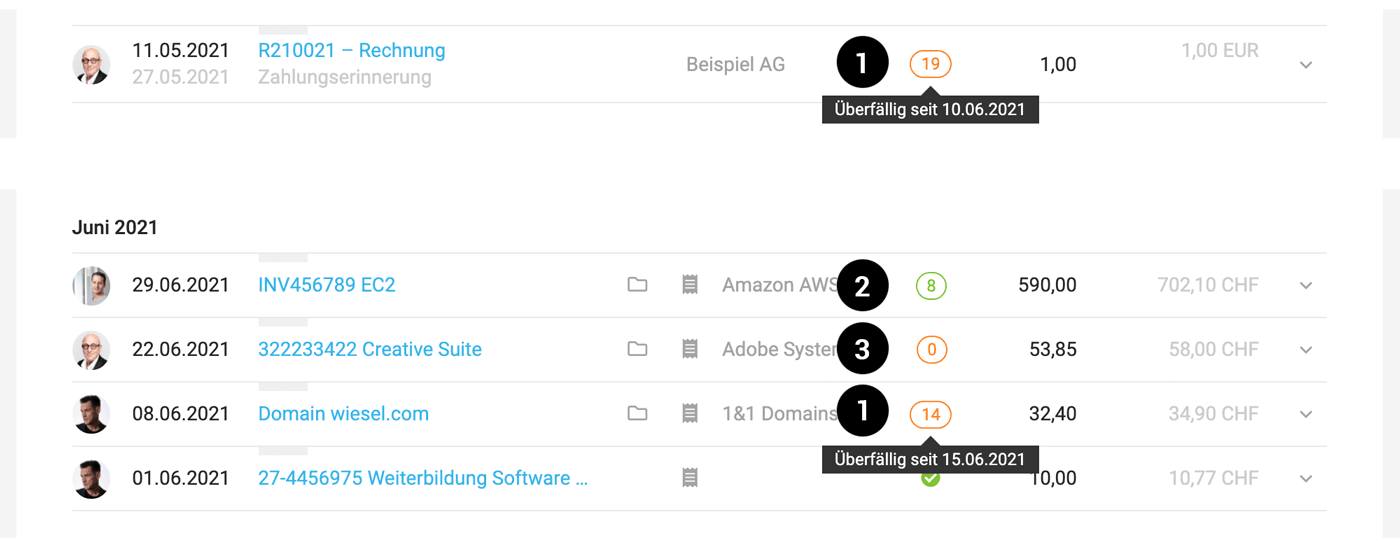
How many days an invoice is already overdue, is shown by the orange number in the list (1). A tooltip provides information on the date by which the amount should have been received (Payable by).
When an incoming invoice is due, is indicated by the green number (2). A kind of countdown that turns orange when the payable-by date is reached (displayed via the tooltip). If no payable-by date is set for the incoming invoice, "0" is displayed (3).
By clicking on the number, payment can be recorded for both incoming and outgoing invoices (previously only possible for incoming invoices).
(English image not yet available)How many days an invoice is already overdue, is shown by the orange number in the list (1). A tooltip provides information on the date by which the amount should have been received (Payable by).
When an incoming invoice is due, is indicated by the green number (2). A kind of countdown that turns orange when the payable-by date is reached (displayed via the tooltip). If no payable-by date is set for the incoming invoice, "0" is displayed (3).
By clicking on the number, payment can be recorded for both incoming and outgoing invoices (previously only possible for incoming invoices).
Reports & Exports
Reports > Time Tracking
Clicking and thus calling up the daily details is also possible on an empty field.
Reports > Time Tracking > Export
New column "Project Management"
Reports > Personnel > Export "Leave & Sickness"
New column for the total sum in hours for accounts with an hourly model.
Clicking and thus calling up the daily details is also possible on an empty field.
Reports > Time Tracking > Export
New column "Project Management"
Reports > Personnel > Export "Leave & Sickness"
New column for the total sum in hours for accounts with an hourly model.
WebHooks
New WebHooks enhance the synchronization options:
- Overdue Invoices
- New Planning Entry
- Deleted Planning Entry
- Modified Planning Entry








