Alter News-Artikel!
» Hier geht's zur aktuellen Online-Hilfe
Article from
Quick Wins: Ongoing Work Time, IBAN Option for QR-Invoice & More.
As usual, here are some small optimisations and enhancements to assist in daily tasks. This includes ongoing work time, which shows how many hours should be recorded after completing a task, QR-Invoice with just an IBAN, API enhancements, and more.
 (English image not yet available)
(English image not yet available)Time Tracking
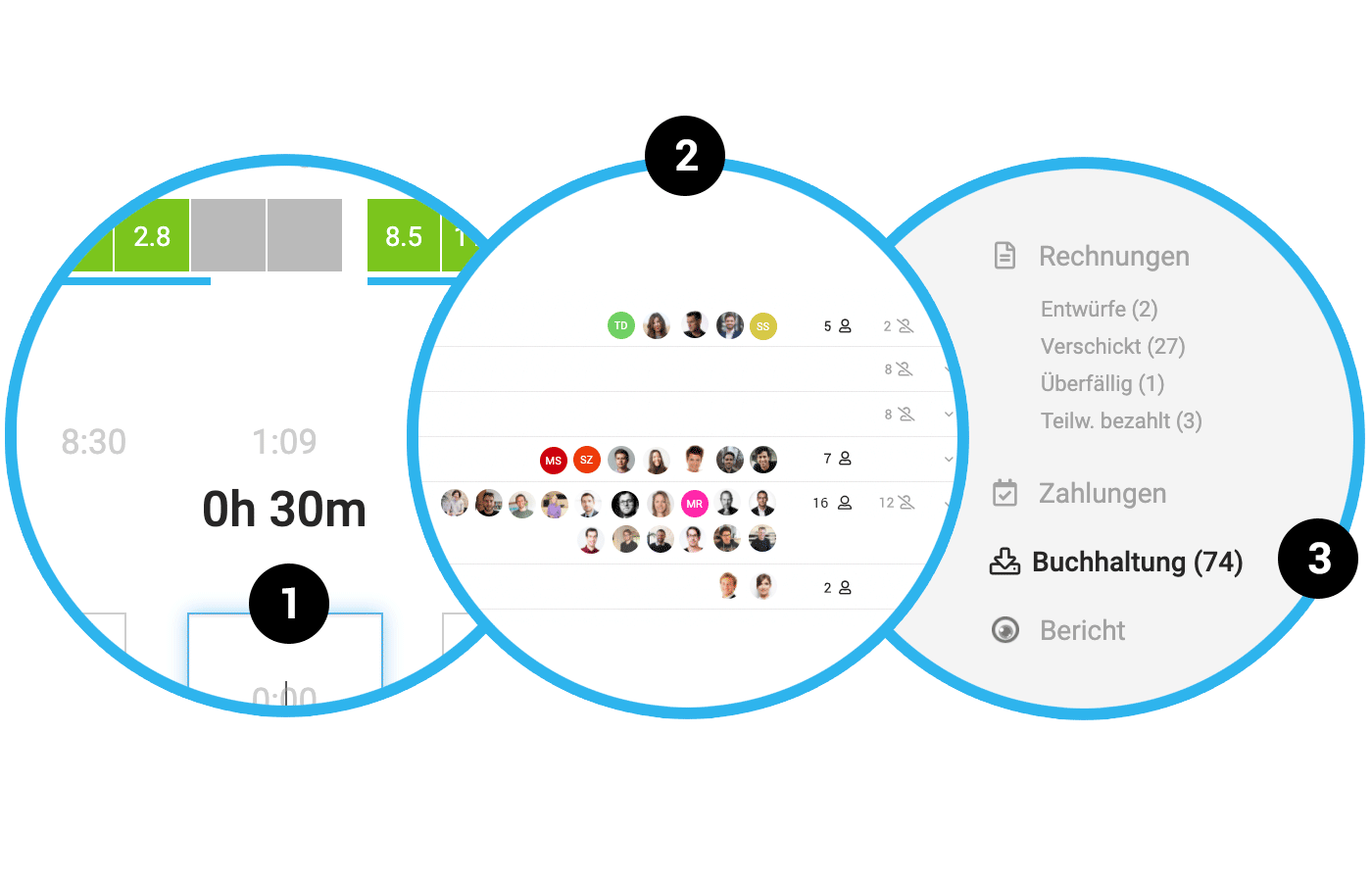
The work time above the project time total (1) counts the current time upwards.
This is ideal for those who prefer to manually record their project hours or adjust the stopped time with +/–. You can directly see
→ how long the last task took
→ how many hours need to be recorded for the entire day
This is ideal for those who prefer to manually record their project hours or adjust the stopped time with +/–. You can directly see
→ how long the last task took
→ how many hours need to be recorded for the entire day
The absence "Not plannable" is now displayed with shading (rather than solid grey) for better distinction in time tracking.
Teams
The "Teams" page becomes more tangible with the display of active members (2). The avatars link directly to the respective individuals.
Expenditures
Assignment of expenditures to the project: Reconciliation of stored costs with already created additional services
When assigning expenditure items to existing project additional services, any previously stored costs (EK) are displayed in the dialog window. This can assist with reconciliation. When assigning the expenditure item, the net amount is set or overwritten as the definitive EK.
When assigning expenditure items to existing project additional services, any previously stored costs (EK) are displayed in the dialog window. This can assist with reconciliation. When assigning the expenditure item, the net amount is set or overwritten as the definitive EK.
Invoices
Red payment slip is also supported
For Swiss accounts, the QR-Invoice can now replace not only the previous orange payment slip but also red payment slips. No QR-IBAN is required here – the IBAN suffices.
For Swiss accounts, the QR-Invoice can now replace not only the previous orange payment slip but also red payment slips. No QR-IBAN is required here – the IBAN suffices.
Accounting
The menu item directly shows how many invoices have not yet been exported for accounting (3).








