Alter News-Artikel!
» Hier geht's zur aktuellen Online-Hilfe
Article from
Incorporate Additional Services from Proposal into Project.
Additional services marked in the proposal can now be individually or entirely incorporated into the project as needed.
Here's How
1. Ensure the proposal is available under "Proposals" in the project (link the relevant lead if necessary).
2. In the project, under "Additional Services" > "+ New Additional Service", select the proposal.
3. You can then incorporate individual or all additional services into the project.
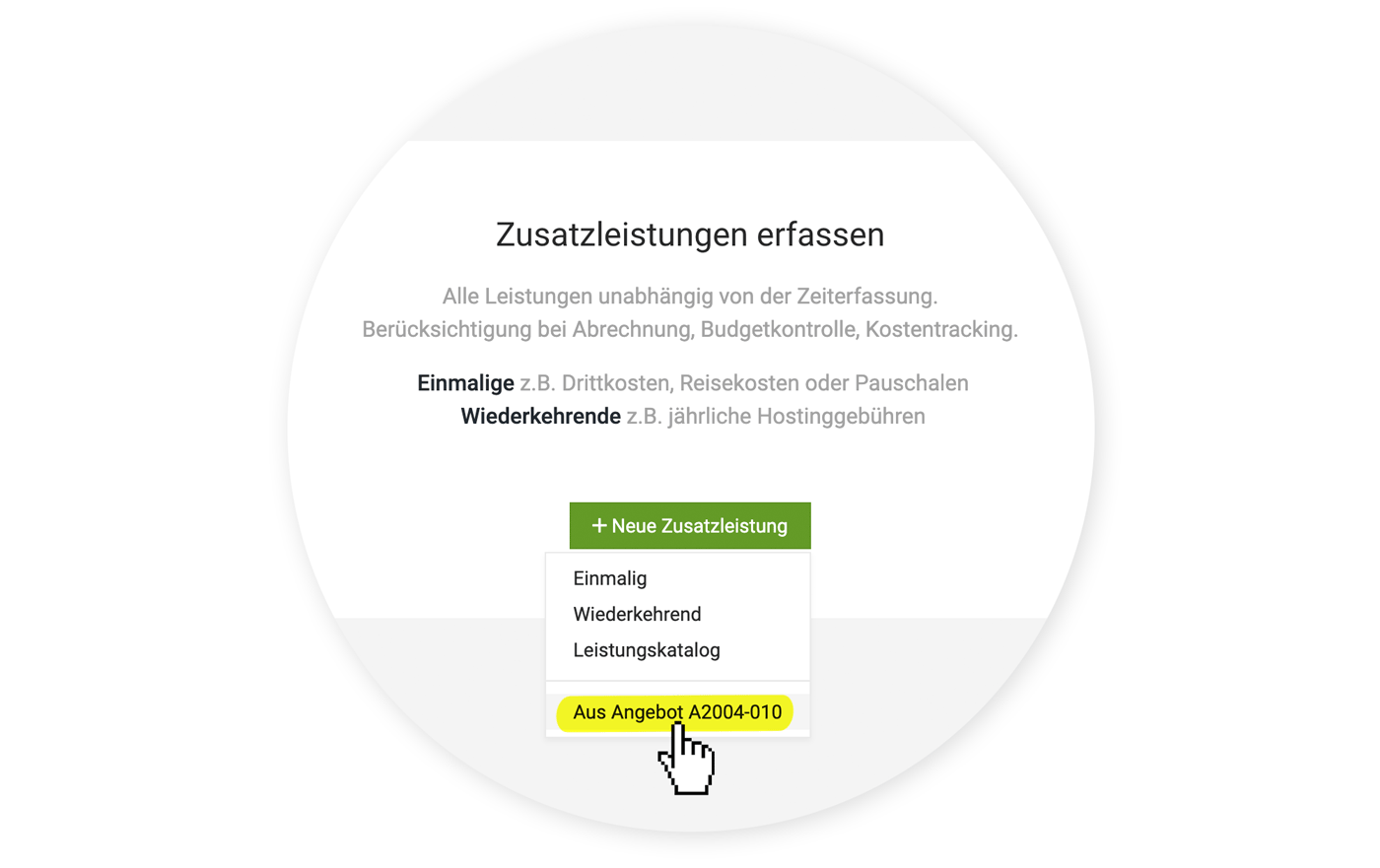 (English image not yet available)
2. In the project, under "Additional Services" > "+ New Additional Service", select the proposal.
3. You can then incorporate individual or all additional services into the project.
(English image not yet available)When Should I Use This Option?
To better understand when this feature is particularly useful, let's delve into the handling of additional services:
Additional services are only recorded when they actually occur
Often, proposals assume a price for third-party costs (external services). It makes sense to record the service in the project only when it has actually occurred or has been approved by the client. This also clarifies the cost to the company and the price at which the service will be billed to the client. If the amounts differ, you enter these accordingly under amount and cost.
If you use the Expenditures section to record all incoming invoices to the company, this incoming invoice can be assigned to the project. This action indirectly creates the additional service – or you can select an already recorded additional service. The actual cost amount will then be updated in the additional service if necessary.
All additional services should be listed in the project immediately.
If services not related to time tracking are already concrete and confirmed by the client, it may make sense to incorporate all these services from the proposal into the project. They can initially serve as a "shell" and already show firmly planned services in the budget progress.
Preview: Collective pot for percentage ancillary costs, etc.
Currently, only one expenditure can be assigned to an additional service. This will be expanded in the future to allow multiple expenditures to be assigned to an additional service. The new feature is a step towards building on this.
Additional services are only recorded when they actually occur
Often, proposals assume a price for third-party costs (external services). It makes sense to record the service in the project only when it has actually occurred or has been approved by the client. This also clarifies the cost to the company and the price at which the service will be billed to the client. If the amounts differ, you enter these accordingly under amount and cost.
If you use the Expenditures section to record all incoming invoices to the company, this incoming invoice can be assigned to the project. This action indirectly creates the additional service – or you can select an already recorded additional service. The actual cost amount will then be updated in the additional service if necessary.
All additional services should be listed in the project immediately.
If services not related to time tracking are already concrete and confirmed by the client, it may make sense to incorporate all these services from the proposal into the project. They can initially serve as a "shell" and already show firmly planned services in the budget progress.
Preview: Collective pot for percentage ancillary costs, etc.
Currently, only one expenditure can be assigned to an additional service. This will be expanded in the future to allow multiple expenditures to be assigned to an additional service. The new feature is a step towards building on this.








