Alter News-Artikel!
» Hier geht's zur aktuellen Online-Hilfe
Article from
Preview: The New Planning.
Work hard, plan harder! We've been diligently working behind the scenes to take our planning to the next level. The Early-Bird phase is now starting. Selected accounts will begin using the new planning system from next week. In a few months, this planning will completely replace the current one – all data will be transferred! Here's an overview of the new version:
Better Usability, More Flexibility!
The cumbersome project bar is gone, more intuitive entry/movement, and the ability to specify your own hour packages are certainly the most visible changes...
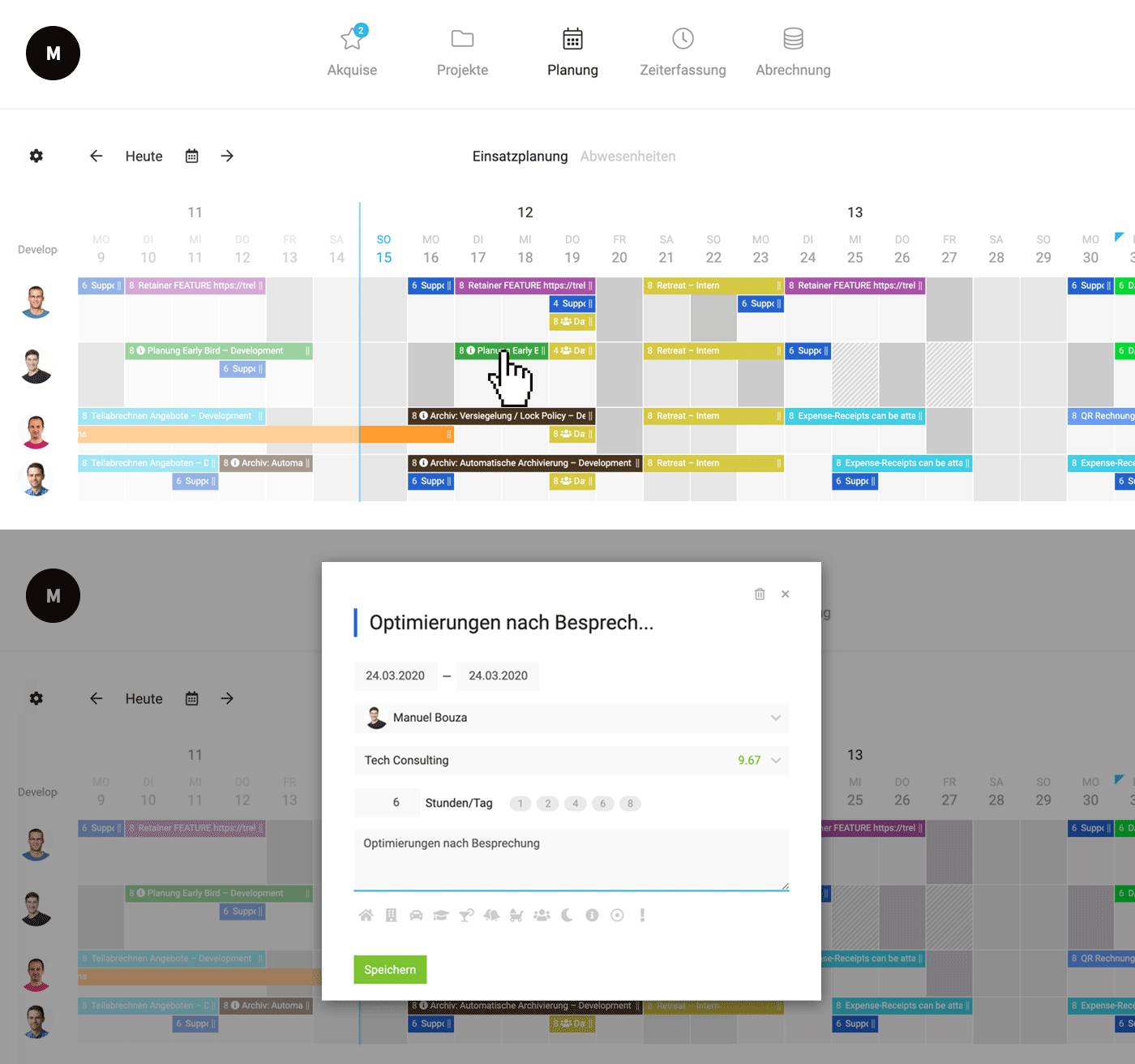 (English image not yet available)
- More generous design while providing more space for planning by reducing people to avatars + tooltips.
- The project bar at the top is removed – remaining hours are displayed in the entry when selecting a project.
- Entries can be dragged/clicked in – even over multiple days.
- Hours per day can be freely chosen – including quick selection options.
- Multiple projects can be entered in one day: Allows for more detailed planning in the coming weeks if needed.
- Days can be overplanned.
- Entries can also require 0 hours: e.g., as placeholders for unconfirmed orders or marking milestones/deadlines.
- There are additional symbols available for selection.
- Description/symbol (optional) are displayed directly. Useful for making phases etc. visible.
- Easier team selection at the top left via the settings icon.
- 2 levels for projects and absences: Absences and projects can be entered in parallel.
- Projects and absences cannot be accidentally deleted by simple clicking.
- There are additional symbols available for selection.
- The new comprehensive report (Reports > Planning) and the export now cover the entire year. Utilisation is graphically displayed and thus more quickly comprehensible.
- The planning preview in the weekly email has changed according to the new entry method.
Current Limitations
Planned with official launch
- Live update (push notifications) for multiple viewers – a reload is currently still necessary.
- Recurring entry for holidays
Further development steps we are considering
- Automatically entering specific weekdays over a longer period (currently, entries are briefly copied to the next week using the "Alt" key)
- Option to plan weekends yes/no. Planning on weekends and during absences currently counts (deduction of hours)
- Display of over/underload directly in planning
- Recurring entry for projects
- Display of requested leave
- View per project/in the project
- Other views (week, read-only, etc.)
Get a Sneak Peek
Currently available in your own account under .../schedules-beta
All new accounts will automatically use the new planning from April. Existing clients can easily get a sneak peek by creating a new non-binding test account.
All new accounts will automatically use the new planning from April. Existing clients can easily get a sneak peek by creating a new non-binding test account.








